Deblur
Rescue blurry and out-of-focus shots
Motion blur, soft focus, camera shake — the AI reconstructs clean edges and brings the subject back into focus without that over-sharpened halo.
A free AI photo enhancer that removes blur, clears up noise and restores fine detail — upload a photo, describe the fix, and let the AI sharpen it in seconds.
Upload your photo, then describe the fix or pick a preset.
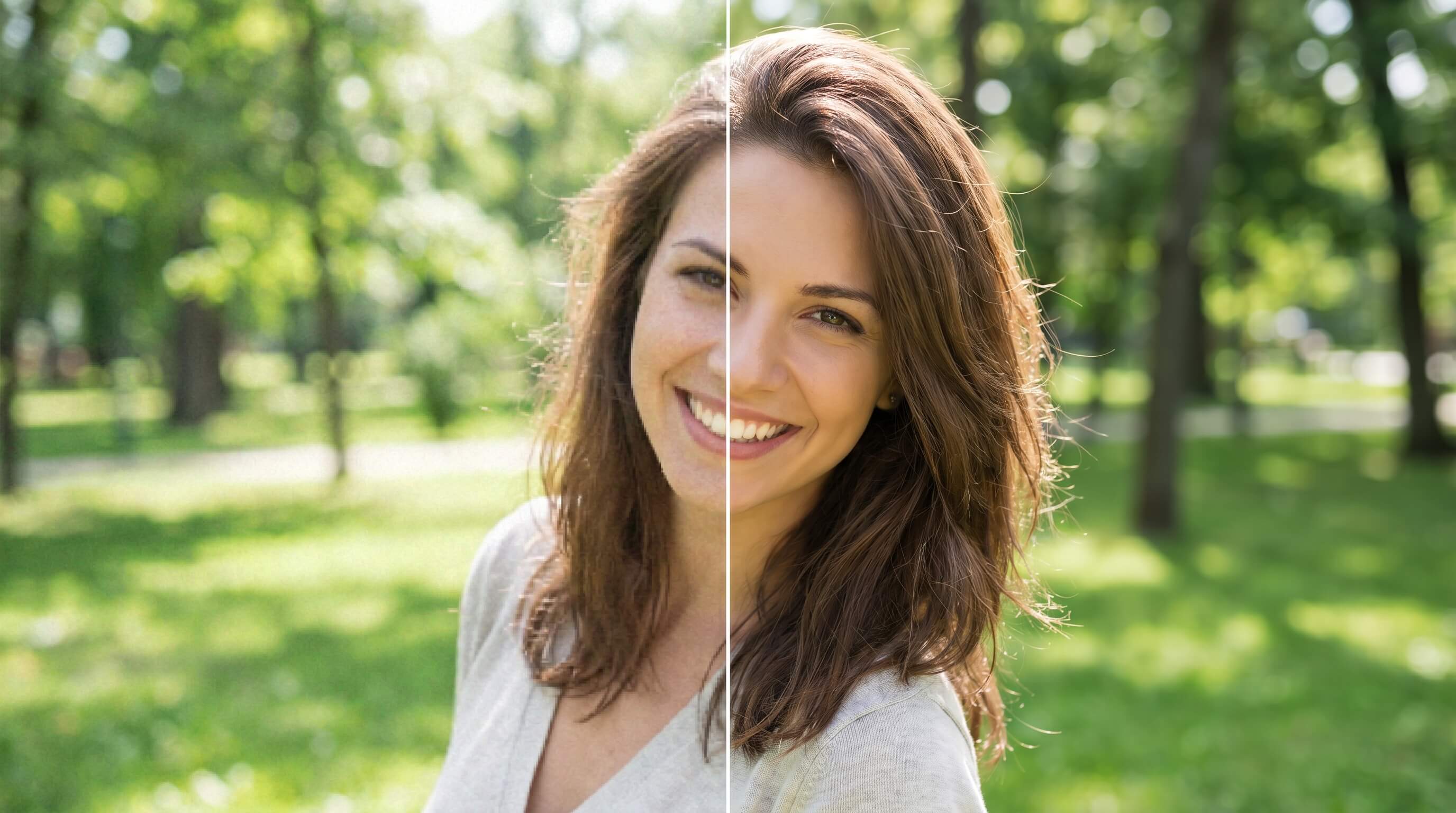
See the difference
The same shot — deblurred, denoised and sharpened. Detail recovered, noise cleaned, nothing repainted.
One enhancer, every fix
Sharpen, denoise, deblur and restore — all from a single prompt. Need more pixels too? It chains straight into upscaling.
Motion blur, soft focus, camera shake — the AI reconstructs clean edges and brings the subject back into focus without that over-sharpened halo.
Cleans ISO grain and color speckle while keeping real texture intact.
Recovers natural skin, eyes and hair detail — true to the person, never AI-plastic.
Adds definition where it matters — text, textures and edges — and stops before it looks processed.
Already sharp? Chain it into AI upscaling to add resolution for print.
Repair scratches, fading and blur in scanned prints — improve clarity and color while keeping the original character of the photo.
Start from an example
Pick a starting point — the prompt fills in, ready for your own photo.
How it works
Drop in any JPG, PNG or WEBP — even a low-res or scanned image.
Pick a preset or type what to improve: deblur, denoise, restore, sharpen.
The model reconstructs clean detail and clears noise in seconds.
Save the result, or chain it into upscaling and editing right away.
Why Genspark
The enhancer focuses on quality — removing blur and noise, sharpening detail and restoring photos. An upscaler increases resolution (more pixels). Enhance first to clean the image, then upscale if you need a larger size for print.
It helps with blur, noise and grain, soft focus, low-light shots, and old or damaged photos — improving clarity, detail and color while keeping the image natural.
It reconstructs clean edges and recovers detail to reduce motion blur and soft focus. Results depend on the source — heavily destroyed detail can be improved but not perfectly recreated.
Enhancing focuses on quality — clarity, detail and noise. If you also need more resolution for print, you can chain the result straight into AI upscaling.
Yes. The enhancer is tuned to restore true detail rather than repaint the image, so faces and textures stay faithful to the original.
You can upload common image formats including PNG, JPG and WEBP, then download the enhanced result.