


Learn how to use Genspark SecondBrain, a personal knowledge and memory system. It connects your emails, meetings, files, and apps so Super Agent works with real context about you.
Updated Oct 14, 2026
Overview
Key Features
FAQ
SecondBrain
What is SecondBrain?
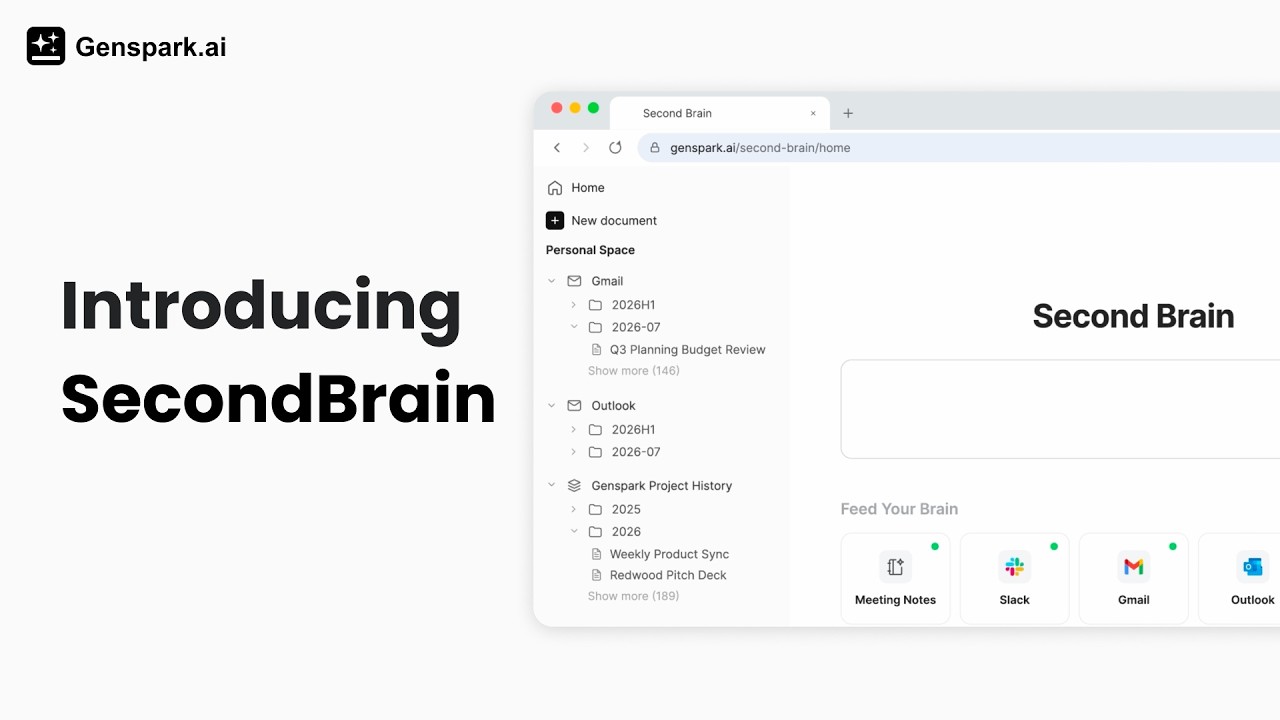
SecondBrain is Genspark's personal knowledge and memory system — a unified hub that learns from your emails, meetings, files, and connected apps to give your AI a deep, personalized context about you and your work.
- Connect your data — with your permission, SecondBrain links to everything you already use: your email, calendar, chat history, meeting notes, external platforms, and more. It all becomes your personal context layer
- Retrieve your SecondBrain data in Super Agent — once connected, Super Agent has the full picture of who you are and how you work. This means smarter answers, more personalized actions, and a real edge whenever you need to pull together, organize, or make sense of information from multiple sources
Quick Start
- Open SecondBrain from its dedicated website or from the Genspark home page
- Connect at least one data source — your email, calendar, or an uploaded file is a good place to start
- Once connected, SecondBrain begins building your personal context layer automatically
- Head to the Genspark home page and open Super Agent — it will now draw on your SecondBrain data to give smarter, more personalized responses
Feature & How-To Guides
Step 1 — Collect Your Data
SecondBrain pulls in your information from several sources:
- Genspark projects — auto-saves all your past Genspark activity, including AI Meeting Notes
- Connected tools — sync data automatically from all your sources
- File upload — manually upload documents, spreadsheets, or personal files directly into your memory up to 500 MB
Step 2 — Connect Your Tools
To connect a data source:
- From the SecondBrain homepage, click Connect next to the tool you want to add
- Follow the authorization steps for that service
- Once connected, data begins syncing automatically in the background
Supported integrations: Gmail, Google Calendar, Outlook, Slack, Notion, HubSpot, Salesforce, Google Workspace, Microsoft 365, and more.
Step 3 — Put Your SecondBrain to Work
Head to the Genspark homepage. From there, Super Agent can tap into all the memory, files, and data in your SecondBrain to get work done for you.
Popular Plays — common workflows that SecondBrain powers automatically once your sources are connected:
| Play | What it does | Sources used |
|---|---|---|
| Your weekly update, written for you | Generates a personalized weekly summary from your email, calendar, and connected apps | Gmail/Outlook, Calendar, connected apps |
| Your next meeting, briefed | Prepares a meeting brief with attendee context, relevant docs, and past conversations | Calendar, Docs, connected apps |
| The meeting's over — follow-ups already drafted | Turns your meeting notes into draft follow-up emails and action items | Meeting Notes, Gmail/Outlook |
| Never wonder "where did I put that?" | Searches across all your connected sources to find any file, email, or note | All connected sources |
Try prompts like:
- "Summarize my emails from today."
- "Draft an email and meeting invite for [name]."
- "Summarize last week's meetings into a weekly report."
- "Find the slides I made last week on [topic] and add a new page."
- "What to-dos did [partner] leave me in Slack today?"
- "Pull this quarter's numbers from my HubSpot and turn them into a deck."
- "Find everything in my Notion docs about [topic]."
How Sync Works
Your SecondBrain Note captures recordings on the device, then moves them to your phone and on to the web so you can read transcripts and summaries. Sync happens in two stages, and understanding them explains why a note sometimes appears on your phone before it shows up on the web.
The two stages of sync
Stage 1 — Device to phone. The device records on its own and stores the recording locally. When it reconnects to your phone, it transfers the recording over Bluetooth (or over Wi-Fi if you use Fast Transfer). This transfer happens only when your phone is unlocked, Bluetooth is on, and you've opened the Genspark app since the device reconnected.
Stage 2 — Phone to cloud to web. Once the app has the recording, it uploads it, generates the transcript and summary, and syncs everything to the web (AI Meeting Notes).
The important part: the gate is on Stage 1. Recordings don't move off the device until the app has been opened.
Opening the app is what starts the transfer
Open the app, and keep it open until the transfer completes. In the app, go to AI Notes — the note appears with a pending status and resumes automatically.
- Keep the phone unlocked with Bluetooth on while the transfer runs (the device-to-phone transfer is over Bluetooth).
- For a faster transfer, use Fast Transfer (the button in the top-right), which switches the connection from Bluetooth to Wi-Fi.
- Opening the app is the action that starts the transfer — it doesn't happen on its own while the app is closed.
FAQ
Do I need the SecondBrain Note hardware to use SecondBrain?
No. SecondBrain is the software memory system — connect your apps and use in-app AI Meeting Notes with no device at all. The SecondBrain Note hardware is just one optional input channel for capturing in-person conversations.
What's the difference between SecondBrain and SecondBrain Note?
SecondBrain is the software: it links your data sources into a personal memory layer that Super Agent can draw on. SecondBrain Note is the physical recording device that feeds in-person meetings into that memory. You can use SecondBrain fully without the hardware. For more on SecondBrain Note, see shop.genspark.ai.
How soon does my connected data show up in SecondBrain?
Some integrations sync on a schedule rather than instantly, so allow a few minutes after connecting. If data is still missing after several minutes, disconnect and reconnect the source from the Home page.
What data sources can I connect to SecondBrain?
SecondBrain supports a growing list of connectors: email providers, calendars, messaging platforms, CRM tools, productivity suites, cloud storage, and manually uploaded files.
Is my data private and secure?
SecondBrain may handle highly sensitive personal context — your emails, meetings, files, and conversations — so security and privacy are core product considerations. Genspark maintains an enterprise-grade security framework and is certified with SOC 2 Type II and ISO 27001. Your SecondBrain data is only accessible to you. Connected integrations require your explicit authorization and can be disconnected at any time from the Home page.
What files can I upload to SecondBrain?
You can upload .md, .csv, .html, .pdf, and .zip files. For Notion, upload a Notion export as a .zip. To upload Office files, ODF files, RTF, or EPUB files, put them inside a .zip — SecondBrain converts them when it reads the .zip. Each upload can be up to 500 MB, or 1 GB for a Notion export.
Where is my SecondBrain data stored?
SecondBrain keeps your data in its own dedicated storage. It is separate from AI Drive, so uploaded files do not appear in AI Drive.
How can I use fewer credits in SecondBrain?
The model tier makes the biggest difference. Standard costs much less than Ultra, so use Standard for everyday questions and Ultra when you need the strongest answer. For how the tiers work, see the Credits Guide. A longer chat session also costs more, because each reply costs a little more as the conversation grows. Start a new chat when you change topics.