

AI MusicTry Now
AI Music
AI Music makes songs, instrumentals, background music and sound effects from a text prompt. You describe what you want, pick a genre if you like, and play, redo or download the result.
On most accounts, AI Music is now part of Media Studio. AI Music still opens, and it works as described below. The Try Media Studio dialog explains what you'll see when you arrive.
What is AI Music?
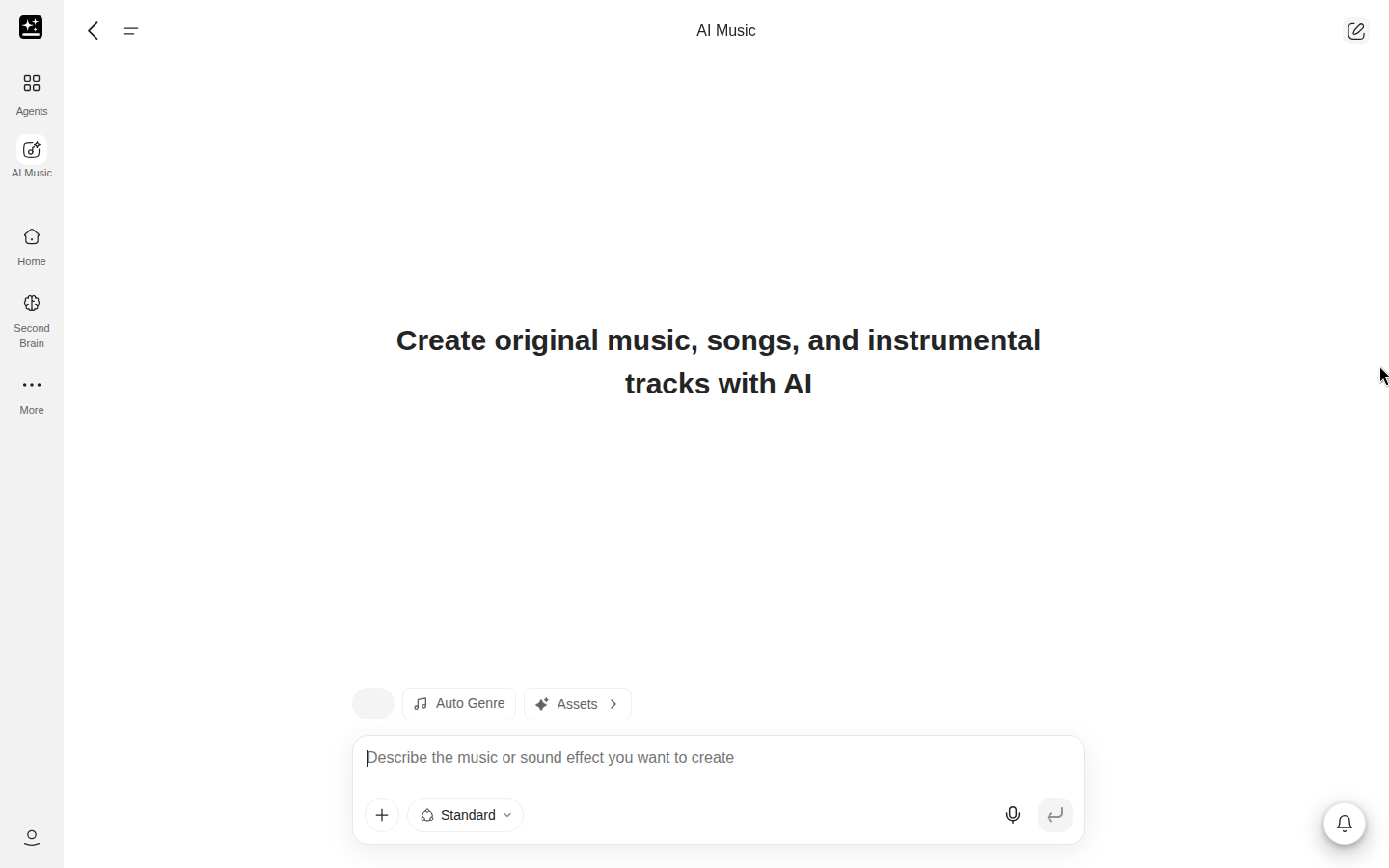
AI Music is a prompt-to-music tool. You type a prompt, send it, and each result is a track in a chat. Every chat is saved as a project, so you can come back and keep working on the same track.
The controls around the prompt box are:
- A prompt box labeled "Describe the music or sound effect you want to create".
- A genre button that reads Select Genre, or Auto Genre when you let the agent choose.
- A model picker that opens on Auto-select Models.
- A Standard and Ultra selector.
AI Music has no separate lyrics, mood or length fields. The agent works those out from your prompt, so put them in the prompt. It has no timeline editor. When the job is bigger than one track, Work with Media Studio says where to go.
What you can do
Five jobs cover most of what people bring to AI Music. Paste the prompt, then change the details to your own. All the recipes are at the end, under Recipes.
| What you get | Prompt to paste | Full recipe |
|---|---|---|
| A song with sung lyrics | An upbeat indie pop song about a road trip with friends, female vocals, a big singalong chorus. | Make a song |
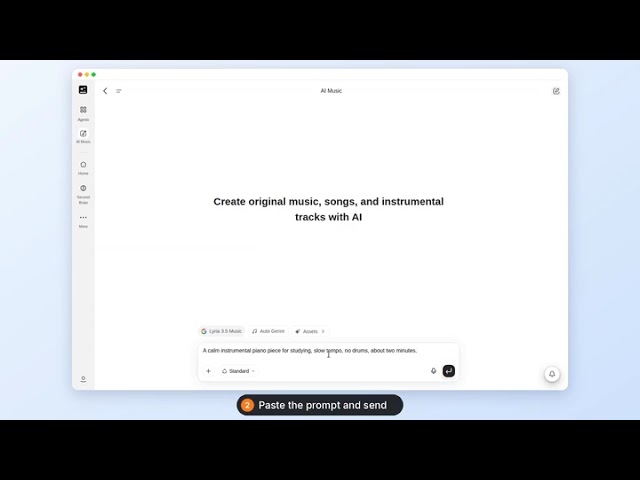
| An instrumental | A calm instrumental piano piece for studying, slow tempo, no drums. | Make an instrumental |
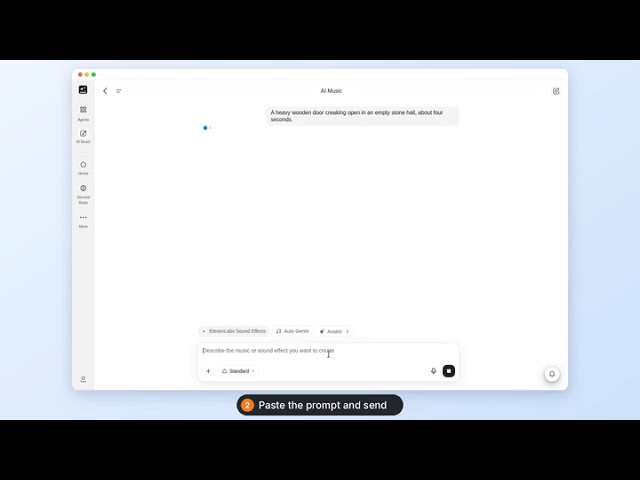
| A sound effect | A heavy wooden door creaking open in an empty stone hall. | Make a sound effect |
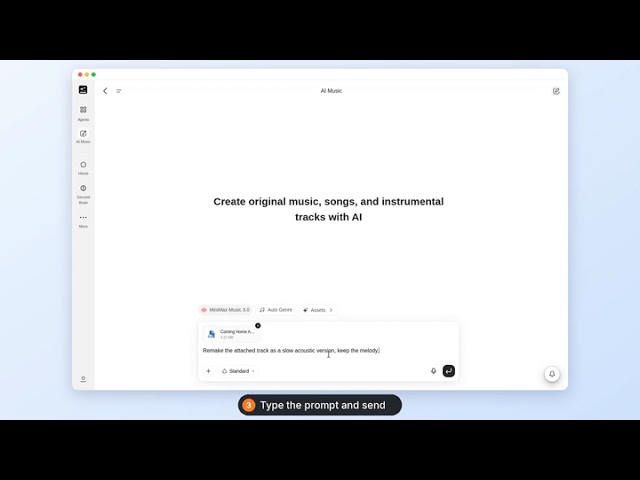
| A new take on a track | Remake this track as a slow acoustic version. | Remix a track. Attach the track first. |
| A better version of a result | Same song, but with a faster tempo and a brighter chorus. | Redo a result with Reference |
Two sections apply to every job: What costs credits and Download and the Free plan.
Where to find AI Music
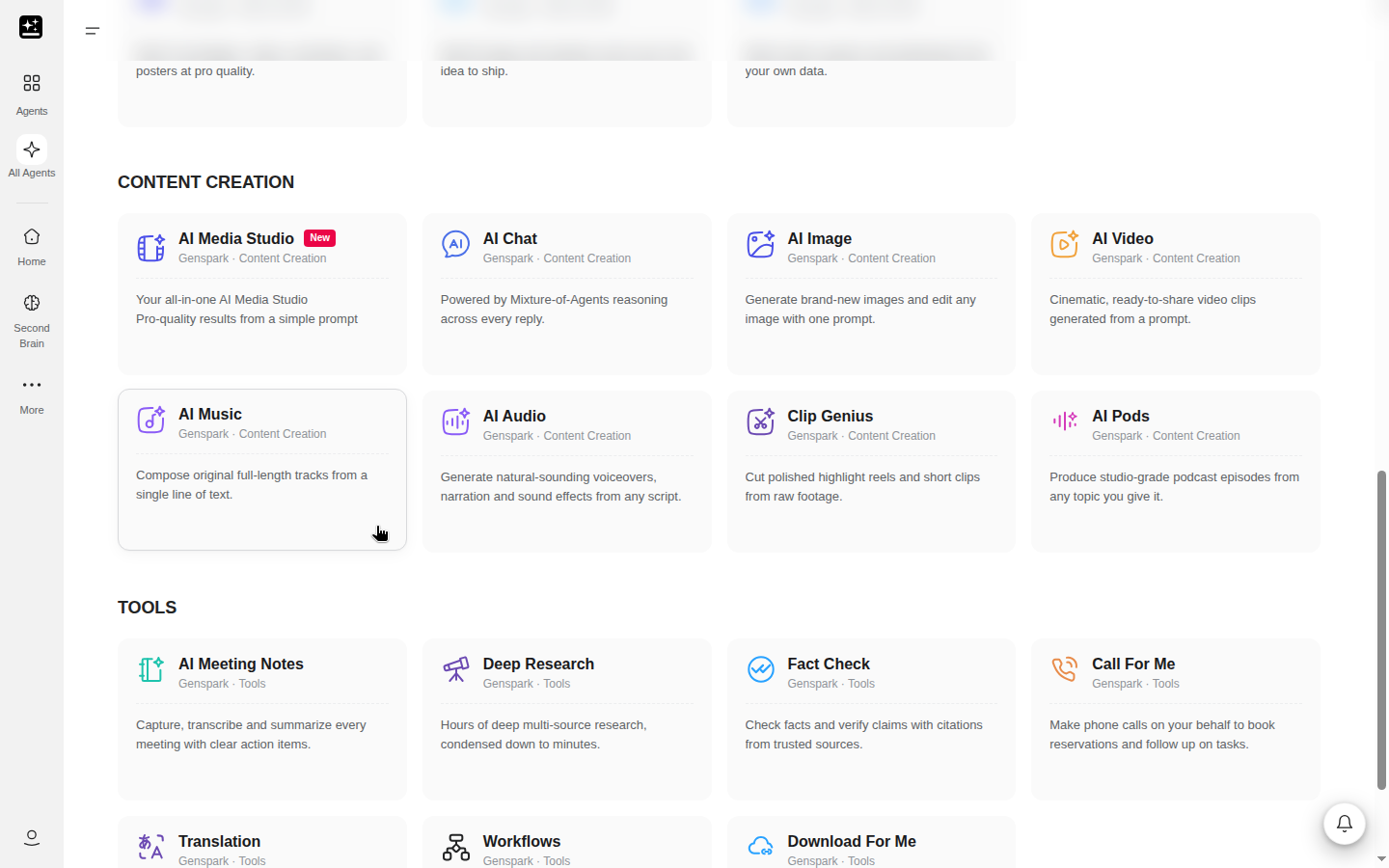
AI Music opens at AI Music. Where it's listed depends on your account.
| Your account | Where AI Music is listed |
|---|---|
| Most accounts | The Content Creation group on the All Agents page. The Agents menu in the sidebar doesn't list it. |
| Enterprise, or an organization that blocked Media Studio | The same place, plus the Content Creation group in the sidebar Agents menu |
On the mobile app, AI Music is listed under All Agents, then CONTENT CREATION. It opens the web page, because there's no music screen of its own in the app.
Quick start
Before you start: sign in to a Genspark account with credits. What costs credits says how music is charged.
- Open AI Music from the Content Creation group on the All Agents page.
- If the Try Media Studio dialog opens, choose Not now to stay on AI Music.
- Choose Select Genre, or leave it on Auto Genre.
- Leave the model picker on Auto-select Models, or pick one model. Model picker and Auto-select explains the cost difference.
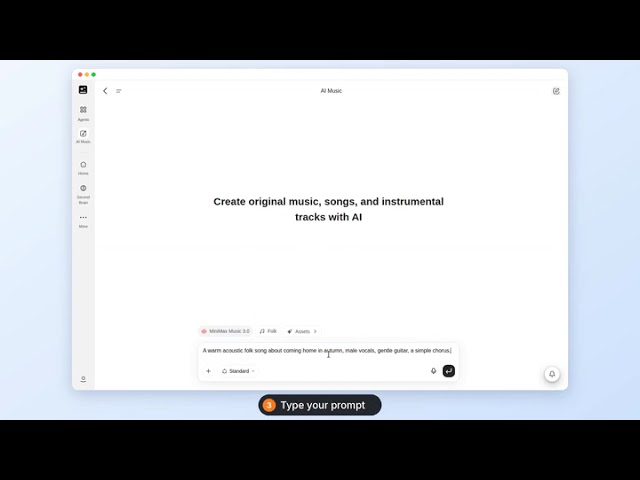
- Type your prompt. Include the mood, the voice, any lyrics and how long you want it.
- Send the prompt and play the result.
- Use the buttons on the result to redo it, reference it or download it.
A warm acoustic folk song about coming home in autumn, male vocals, gentle guitar, a simple chorus.
The Try Media Studio dialog
Media Studio covers video, audio, music and images on one canvas. Because of that, AI Music shows a dialog called Try Media Studio. Its buttons are Open Media Studio, Not now and Got it, don't show this again.
| You choose | What happens |
|---|---|
| Open Media Studio | Media Studio opens |
| Not now, or closing the dialog | You stay on AI Music. The dialog returns the next time you open a blank AI Music page |
| Got it, don't show this again | The dialog stops appearing in this browser |
The dialog shows only when you're signed in on desktop web and AI Music is a blank page, with no open project. It doesn't show for Enterprise members, on mobile or in the app, when you open an existing project from a link, or when your organization has blocked Media Studio.
The Got it, don't show this again setting is saved per browser. It also covers the other older media pages: AI Image, AI Video, AI Audio, AI Pods and Clip Genius.
Write a prompt
The prompt box takes everything. Put in the details you'd otherwise want separate fields for.
| What you want | What to put in the prompt |
|---|---|
| Sung lyrics | Say "with lyrics about..." for a theme, or paste your own lyrics. Some models cap the lyrics field, so keep pasted lyrics short. |
| An instrumental | Say "instrumental" and leave out voices |
| Mood and tempo | Name them: "slow", "upbeat", "tense", "relaxed" |
| Length | Say how long. The longest track depends on the model, from 30 seconds to about 5.5 minutes. |
| A sound effect | Describe the sound and the place. Skip lyrics. |
| A style from a reference | Attach a track or an image and say what to take from it |
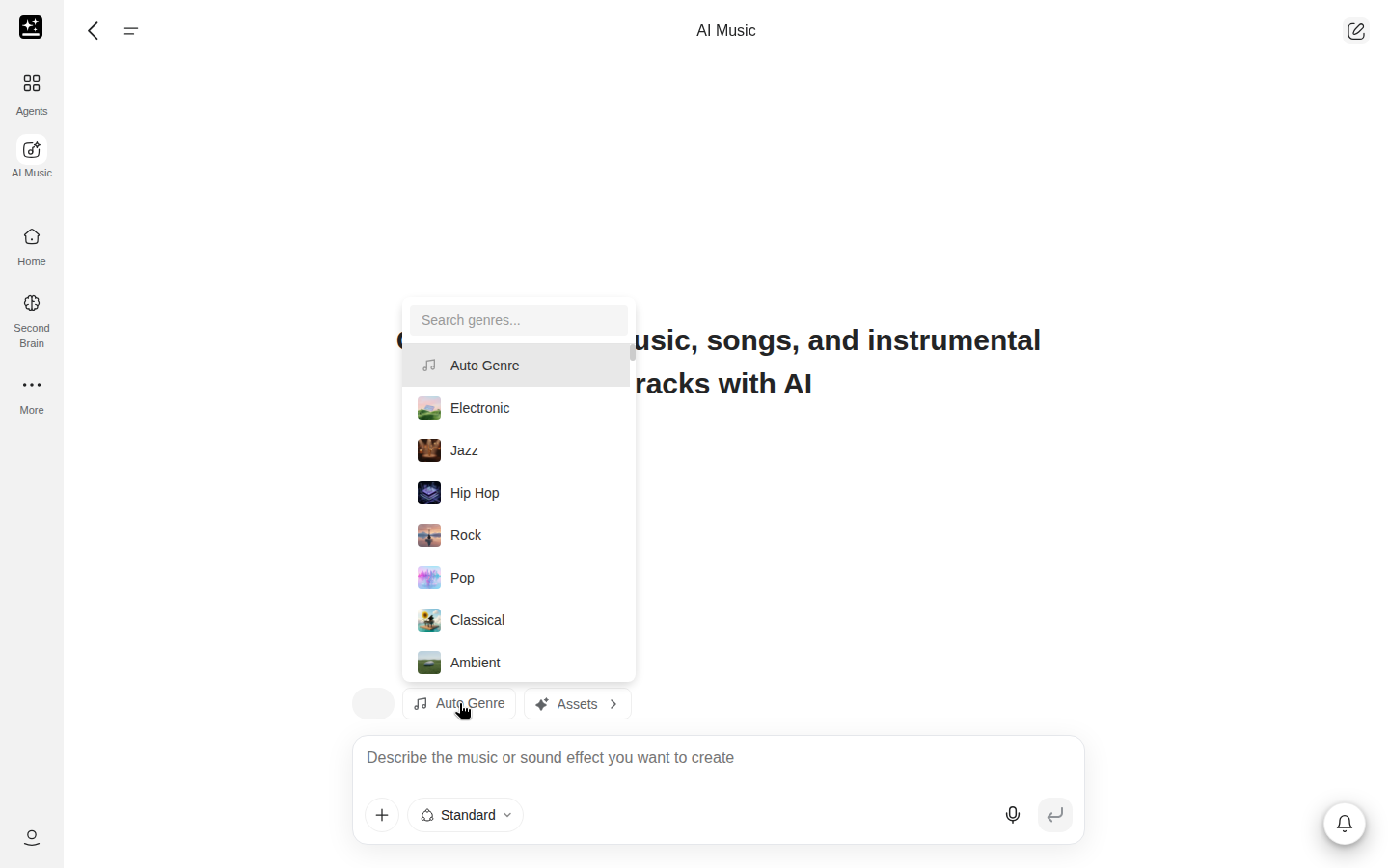
Select Genre opens a genre list. Auto Genre lets the agent choose. A genre you pick narrows the style, and the prompt still decides the content.
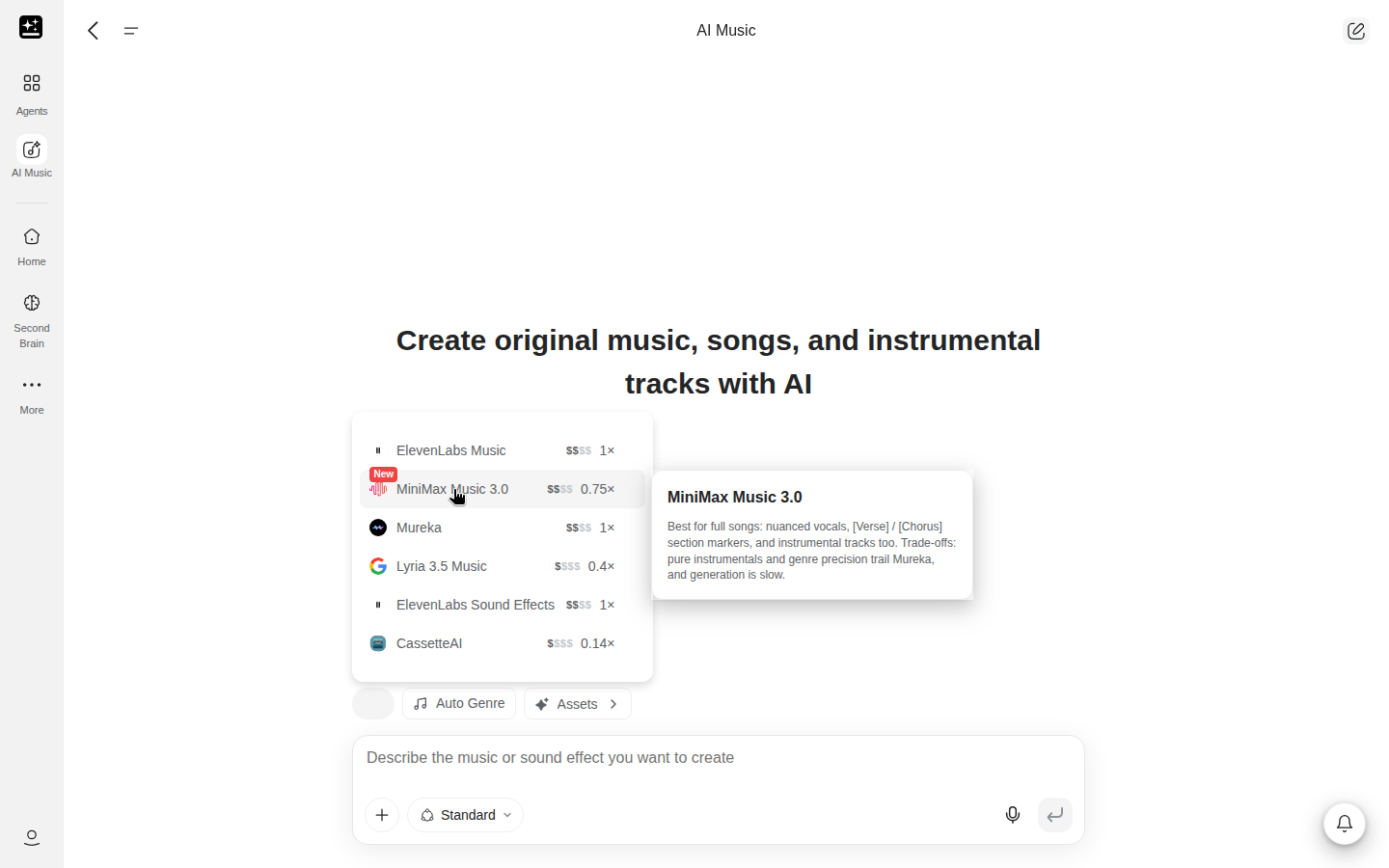
Model picker and Auto-select
There are two pickers, and they do different jobs.
| Picker | What it does |
|---|---|
| Model picker | Chooses which music models make your track. It opens on Auto-select Models ("Auto-select the best models for your tasks"). It also lists the music and sound-effect models one by one. |
| Standard and Ultra | Changes the model that plans your request. It doesn't change the music. |
Auto-select Models can use up to four models. Each makes its own version, so one prompt can return up to four tracks, and each is billed separately. If you pick one model, you get one track unless you ask for more. Pick one model when you're watching credits.
Models change over time, so pick from the list on your screen. Each model has its own limits on prompt length and track length.
Work with a result
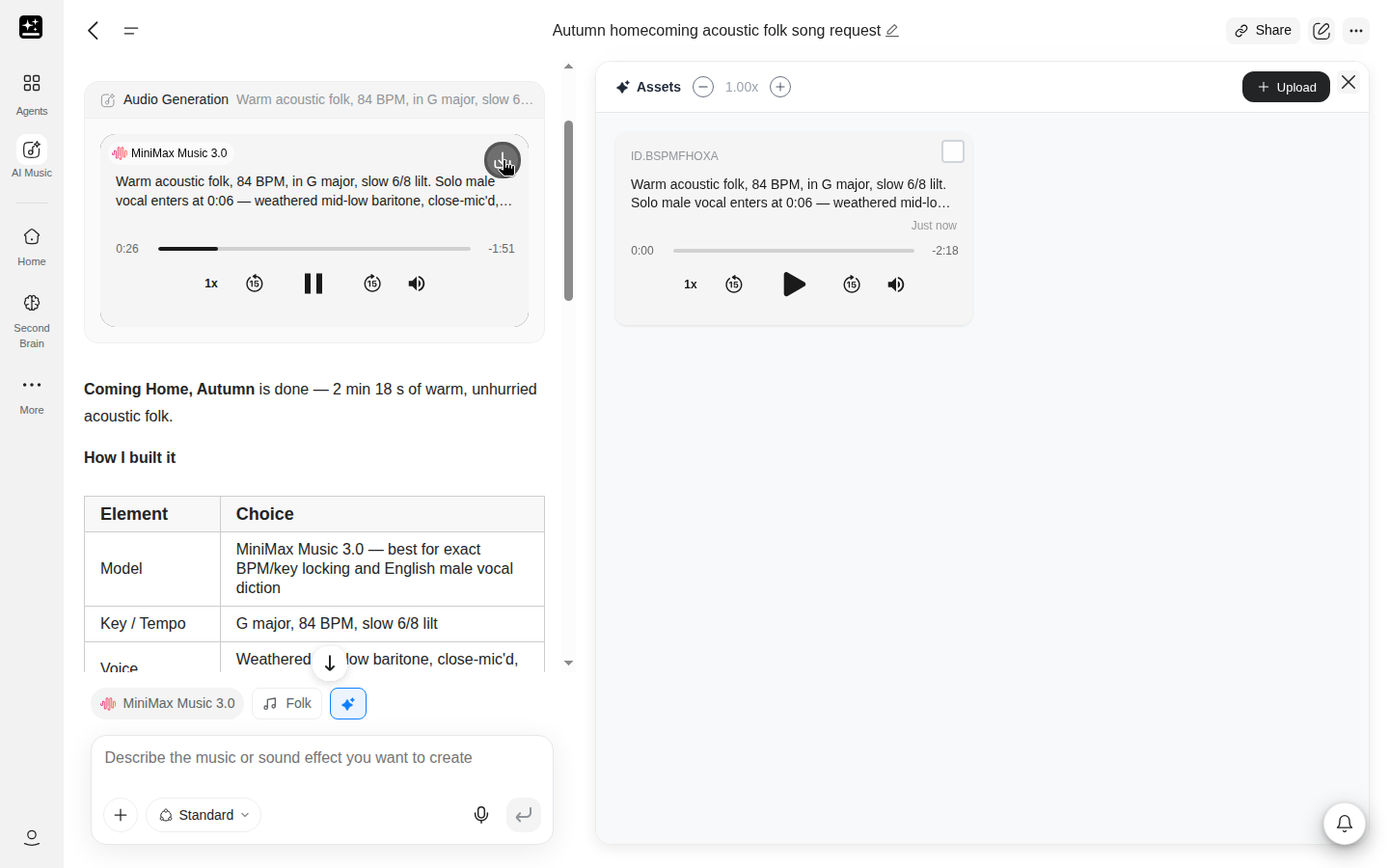
Each result plays in the chat. The buttons under it are:
| Button | What it does |
|---|---|
| Reference | Fills the prompt box with a regenerate prompt for that track. Change it, then send. |
| Download Audio | Saves the track as an MP3. See Download and the Free plan. |
For anything else, ask in the chat. The agent can split a track or merge several, make a remix of an attached track in a new style, and turn lyrics into a song.
Remix a track
Attach an MP3 or M4A and ask for a new style.
What AI Music doesn't have
- No trim, timeline or audio editor on this page. The audio editor is in Media Studio.
- No separate lyrics, mood or length fields.
- No automatic save to AI Drive. The agent saves a track to AI Drive only if you ask.
What costs credits
Every track uses credits. Free Quota never pays for the music itself. On the Standard tier, Free Quota covers only the planning step, and the picker row says so: "Planning on free quota" and "Generated media uses credits".
- The model picker shows a price multiplier on each row, written as a number followed by "×". Use it to compare models.
- Auto-select can make up to four tracks from one prompt, and you pay for each. Model picker and Auto-select has the detail.
- Go members need credits to start.
The Credits Guide lists what drives cost.
Download and the Free plan
Download Audio saves an MP3. On the Free plan, the button carries a Plus tag and opens the pricing page instead.
Tracks stay in the chat project. They aren't saved to AI Drive unless you ask the agent to save them.
Find and delete music
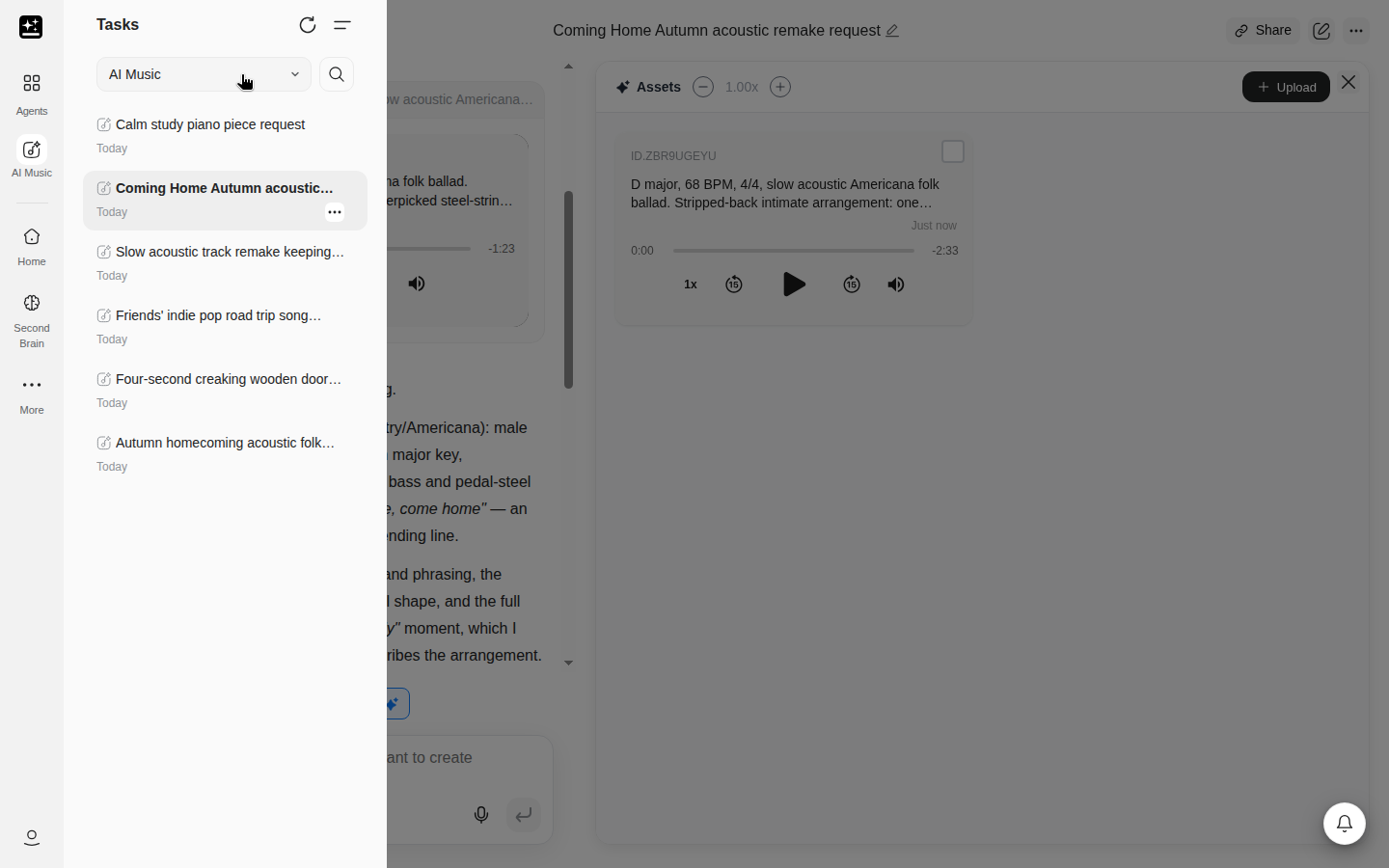
Your tracks are in AI Music projects. Open your project list and choose the AI Music filter.
Delete a project
Delete asks: "Delete "{projectName}"? This action cannot be undone." In practice the project is only marked as deleted, and there's no way for you to restore it. Download any track you want to keep first.
Work with Media Studio
Media Studio is the place for music that belongs to a larger piece of work.
| If you need to | Go to |
|---|---|
| Trim or edit audio on a timeline | The audio editor in Media Studio |
| Put music under a video | Media Studio. The article has a music-video recipe. |
| Make sound effects and voice together | AI Audio for speech and sound effects |
An old AI Music project isn't in Media Studio. Only projects created in Media Studio appear there.
Recipes
Five recipes.
1. Make a song
For: a song with sung lyrics on a theme.
Prepare: the theme, the mood, and any lyrics you want kept word for word.
Steps:
- Open AI Music and choose Select Genre, or leave Auto Genre.
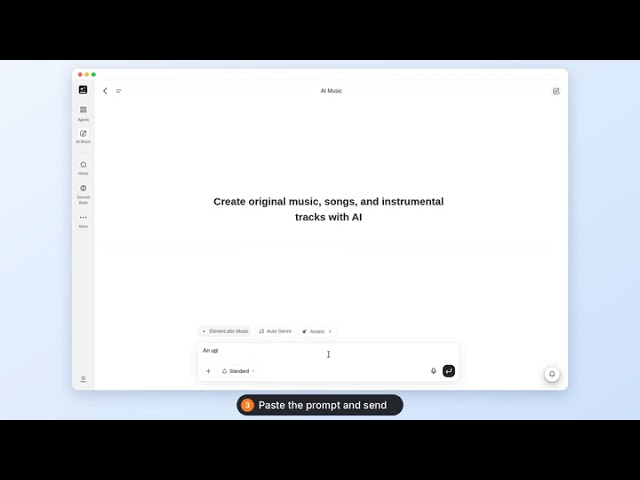
- Paste the prompt below and change the theme.
- Send it and play the result.
- Choose Download Audio to keep the track you like.
An upbeat indie pop song about a road trip with friends, female vocals, a big singalong chorus.
You get: a track in the chat. On Auto-select Models, you may get several versions, and each is billed.
If it stalls: if the lyrics aren't what you wanted, paste the lyrics you want in the prompt and say to sing them as written.
Related: Write a prompt, What costs credits.
2. Make an instrumental
For: background music for a video, a study session or a presentation.
Prepare: the mood and the length.
Steps:
- Open AI Music and send the prompt below.
- Say "instrumental" and "no vocals" in the prompt.
- Play the result and redo it if the tempo is wrong.
A calm instrumental piano piece for studying, slow tempo, no drums, about two minutes.
You get: an instrumental track in the chat.
If it stalls: if a voice appears, send the prompt again and add "no vocals, instrumental only".
Related: Model picker and Auto-select.
3. Make a sound effect
For: a short effect for a video or a game.
Prepare: the sound, the place and the length you need.
Steps:
- Open AI Music and send the prompt below.
- Describe only the sound. Skip lyrics and genre.
- Play the result and download it.
A heavy wooden door creaking open in an empty stone hall, about four seconds.
You get: a short clip in the chat.
If it stalls: for speech or a voice, use AI Audio instead.
Related: Write a prompt.
4. Remix a track
For: a new style of a track you already have.
Prepare: an MP3 or M4A.
Steps:
- Attach the track in the chat.
- Paste the prompt below and name the style.
- Send it and play the result.
Remake the attached track as a slow acoustic version, keep the melody.
You get: a remix in the chat. A remix costs more than a plain track on some models.
If it stalls: if the file is refused, check its type and length.
Related: Remix a track.
5. Redo a result with Reference
For: keeping what works in a track and changing the rest.
Prepare: a result you want to change.
Steps:
- Choose Reference under the result.
- Edit the prompt that appears. Name one thing to change.
- Send it.
Same song, but with a faster tempo and a brighter chorus.
You get: a new track. The first one stays in the chat.
If it stalls: change one thing at a time, so you can tell which change helped.
Related: Work with a result.
FAQ
Where do I find AI Music?
Open the Content Creation group on the All Agents page and choose AI Music. Most accounts don't see it in the sidebar. Where to find AI Music has the details.
Why did a Try Media Studio dialog open?
Media Studio now covers music, and AI Music points to it. Choose Not now to stay, or Got it, don't show this again to stop the dialog in this browser. The Try Media Studio dialog has the rules.
Can I write my own lyrics?
Yes. Paste them in the prompt and say to sing them as written.
Can I choose the length?
Say it in the prompt. The longest track depends on the model.
Can I use AI Music on my phone?
In the app, AI Music is listed under All Agents, then CONTENT CREATION, and it opens the web page. The app has no music screen of its own.
Does AI Music use Free Quota?
No, not for the music. Free Quota covers only the planning step. Every track uses credits.
Why did one prompt charge me for several tracks?
Auto-select Models makes up to four versions, and each is billed. Pick one model to get one track.
Is there a daily limit?
No daily or per-account limit was found. Credits are the cap, and each model has its own prompt and track length limits.
Can an organization admin turn off AI Music?
Yes. In the admin console, Policies has a Feature Block-List and a Feature Allow-List, and each has an AI Music item. Blocking it also blocks music made through Super Agent.
Who pays when members make music?
Members spend from the organization's credits.
Is AI Music use logged?
Usage shows up as AI Music. If audit events are on for your organization, a run is recorded. Audit events are a per-organization setting, so ask your Genspark contact if you're not sure about yours.
Troubleshooting
| Symptom | What it usually is | Where to go |
|---|---|---|
| Try Media Studio keeps opening | The dialog returns until you tick the box | Try Media Studio keeps opening |
| AI Music is missing from the sidebar | Most accounts see it only on All Agents | AI Music is missing from the sidebar |
| Download opens the pricing page | You're on the Free plan | Download opens the pricing page |
| I got several tracks and several charges | Auto-select made up to four versions | I got several tracks |
| The track ignores my prompt | The prompt was too broad, or too many things changed | The track ignores the prompt |
| An old project isn't in Media Studio | Only Media Studio projects show there | An old project isn't in Media Studio |
Try Media Studio keeps opening
The dialog comes back every time you open a blank AI Music page. Choose Got it, don't show this again to stop it in this browser. It's saved per browser, so another browser or a cleared cache brings it back.
AI Music is missing from the sidebar
On most accounts the sidebar Agents menu doesn't list AI Music. Use the Content Creation group on the All Agents page. The sidebar lists it only for Enterprise accounts and for organizations that blocked Media Studio.
Download opens the pricing page
On the Free plan, Download Audio carries a Plus tag and opens pricing. Upgrade to download, or keep working in the chat.
I got several tracks
Auto-select Models asks up to four models for a version each, and each is billed. Pick one model in the picker for a single track.
The track ignores the prompt
- Put the genre, mood, voice and tempo in one short prompt.
- Change one thing at a time with Reference.
- For lyrics, paste them and say to sing them as written.
An old project isn't in Media Studio
Only projects created in Media Studio appear there. Open the old project from your project list under the AI Music filter.
Was this article helpful?