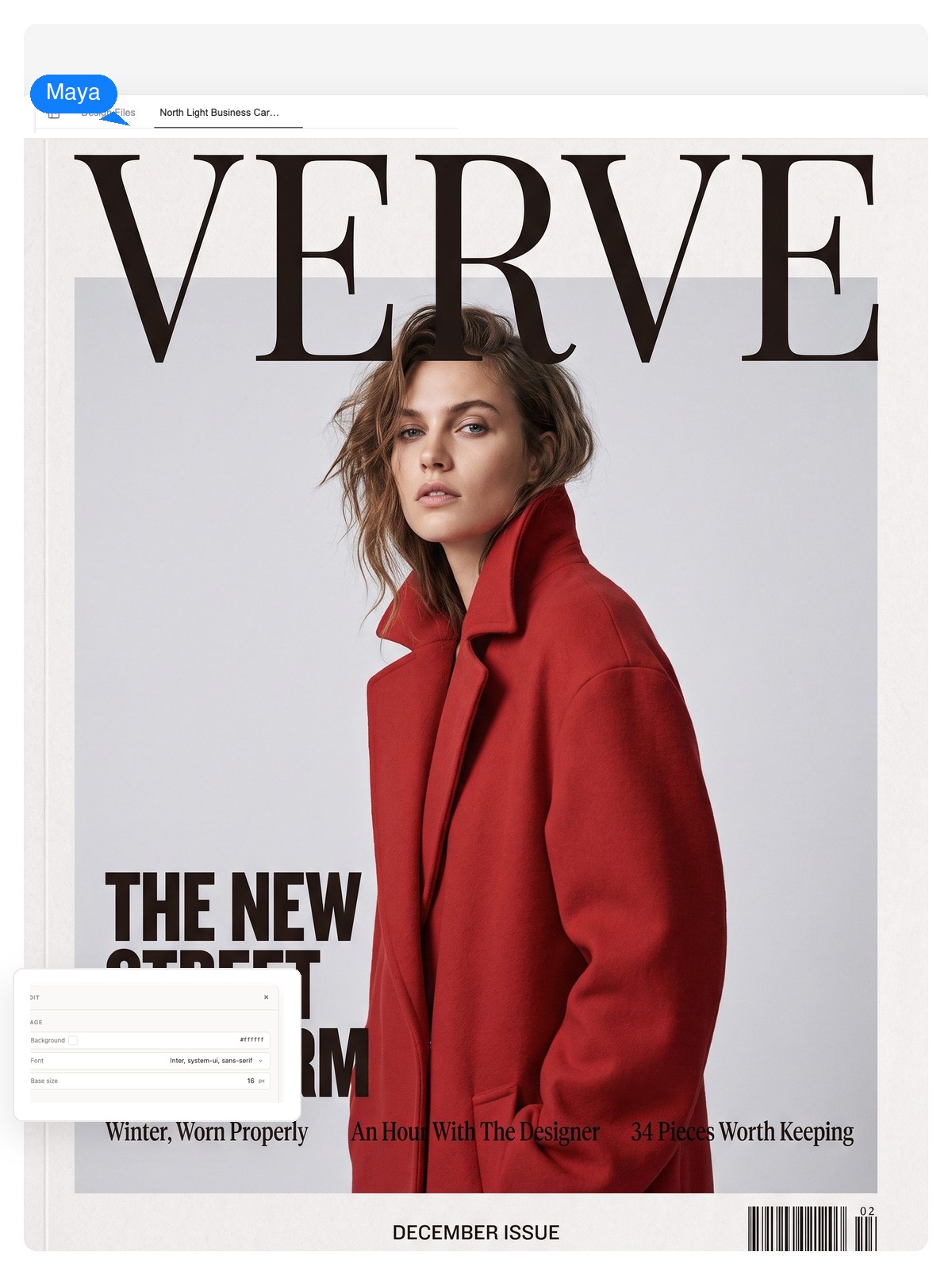
Fashion magazine covers
One model, one gaze, cover lines that hug the silhouette. The lead line does the styling talk; the supporting lines sell the rest of the issue.
Describe your issue — the genre, who's on the cover, what the stories are — and get a full cover design: masthead, cover lines and date strip as editable text over a photo you direct. Make your own magazine cover, then change any line before you export.
A design, not a picture
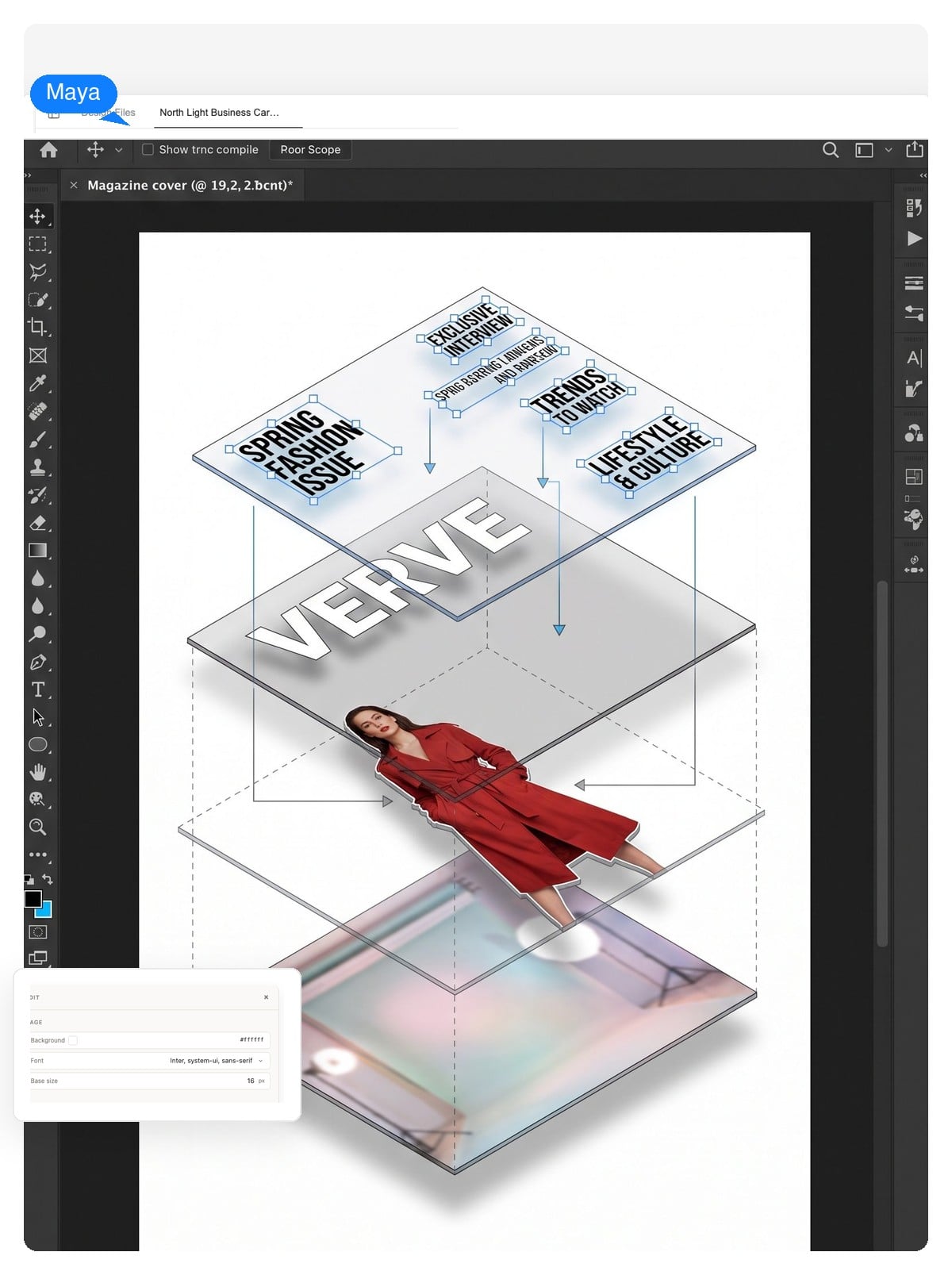
Photo-filter tools paste your picture behind a fake logo and hand you a flat JPG. Genspark builds the cover the way a layout artist would — photography on one layer, masthead and cover lines as live text above it — so the words stay words.
The masthead, the lead line, the supporting lines, the date strip — each is an HTML text layer. Click one, retype it, and the layout holds.
Click the image layer and regenerate just the photography — new subject, new mood — while every cover line stays exactly where you placed it.
Download a PNG for sharing, a print-ready PDF at trim size, or a layered PSD where each element lands on its own layer for final touches.
Making one big statement instead? Our AI poster generator is built for that — a poster shouts a single message, while a magazine cover negotiates a masthead and half a dozen cover lines on the same page. This page is about the second problem.
The newsstand trick
Walk past any newsstand: on nearly every cover, the subject's head clips over the bottom of the logo. Readers recognize the face first, the typeface fills in the rest — and that overlap is what makes a cover read as printed instead of pasted together.
It works because a masthead stays recognizable even half-hidden, and the overlap creates depth — the person stands in front of the page rather than lying on it. Since Genspark keeps the masthead and photo on separate layers, this is a one-sentence request, not a masking tutorial.
Flat: the photo sits entirely under the logo. Safe — and slightly like a template.
Give it what an editor would: the genre, who's on the cover, your masthead name, and roughly what the lines should say. A loose brief is enough to start.
In a few minutes the AI designs the full system — photography, masthead, lead line, supporting lines, date strip — each element on its own layer.
Retype any cover line, swap the photo, ask for a print-size version and the design re-lays out. Export a PNG, a print-ready PDF with bleed, or a layered PSD.
The three briefs we see most. Steal the prompt, swap in your names, and the cover-line system comes with it.
One model, one gaze, cover lines that hug the silhouette. The lead line does the styling talk; the supporting lines sell the rest of the issue.
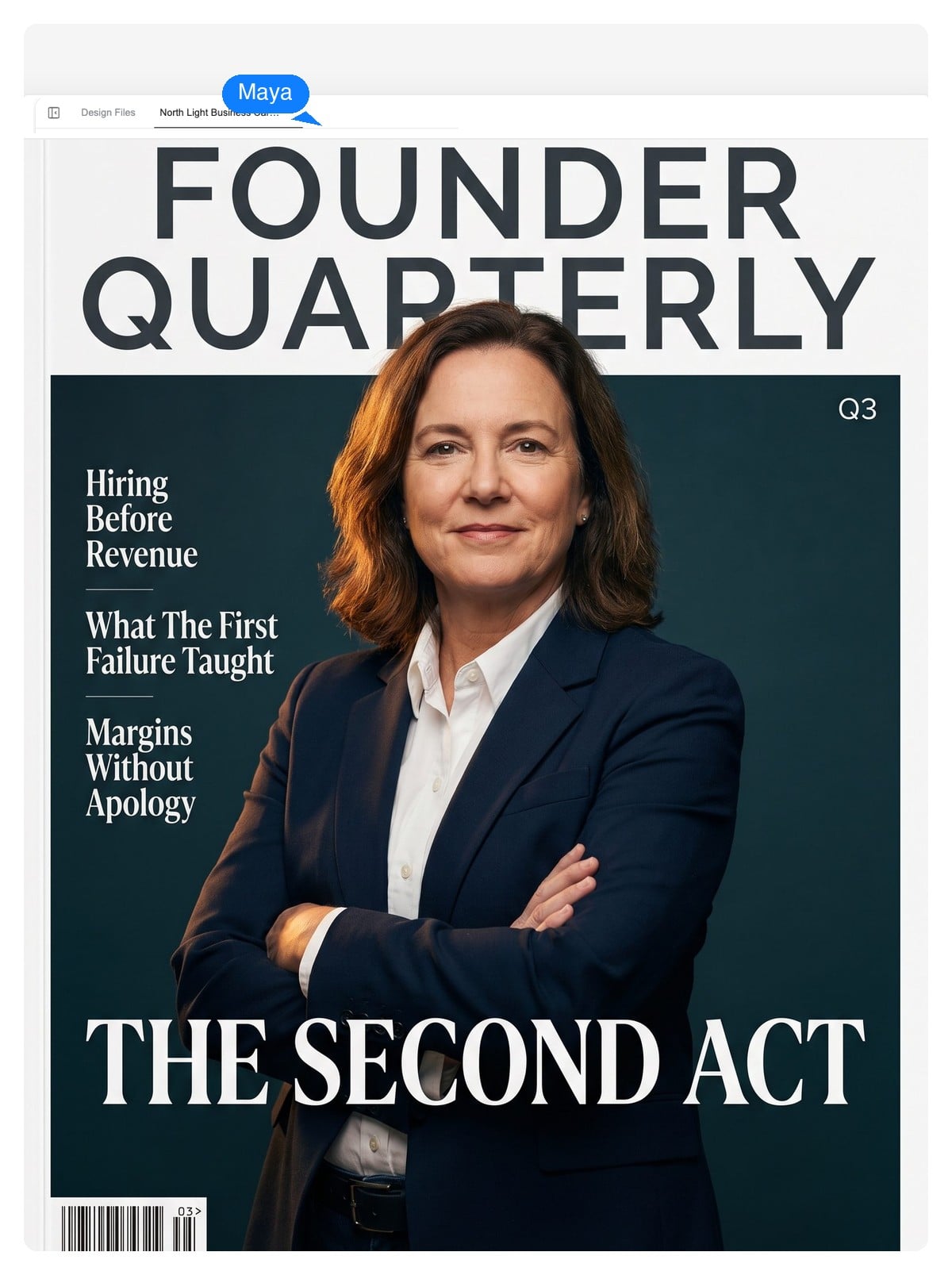
The founder-feature look: strong portrait, a quote-style lead line, supporting lines that read like a contents page. Works for media kits and launch posts.
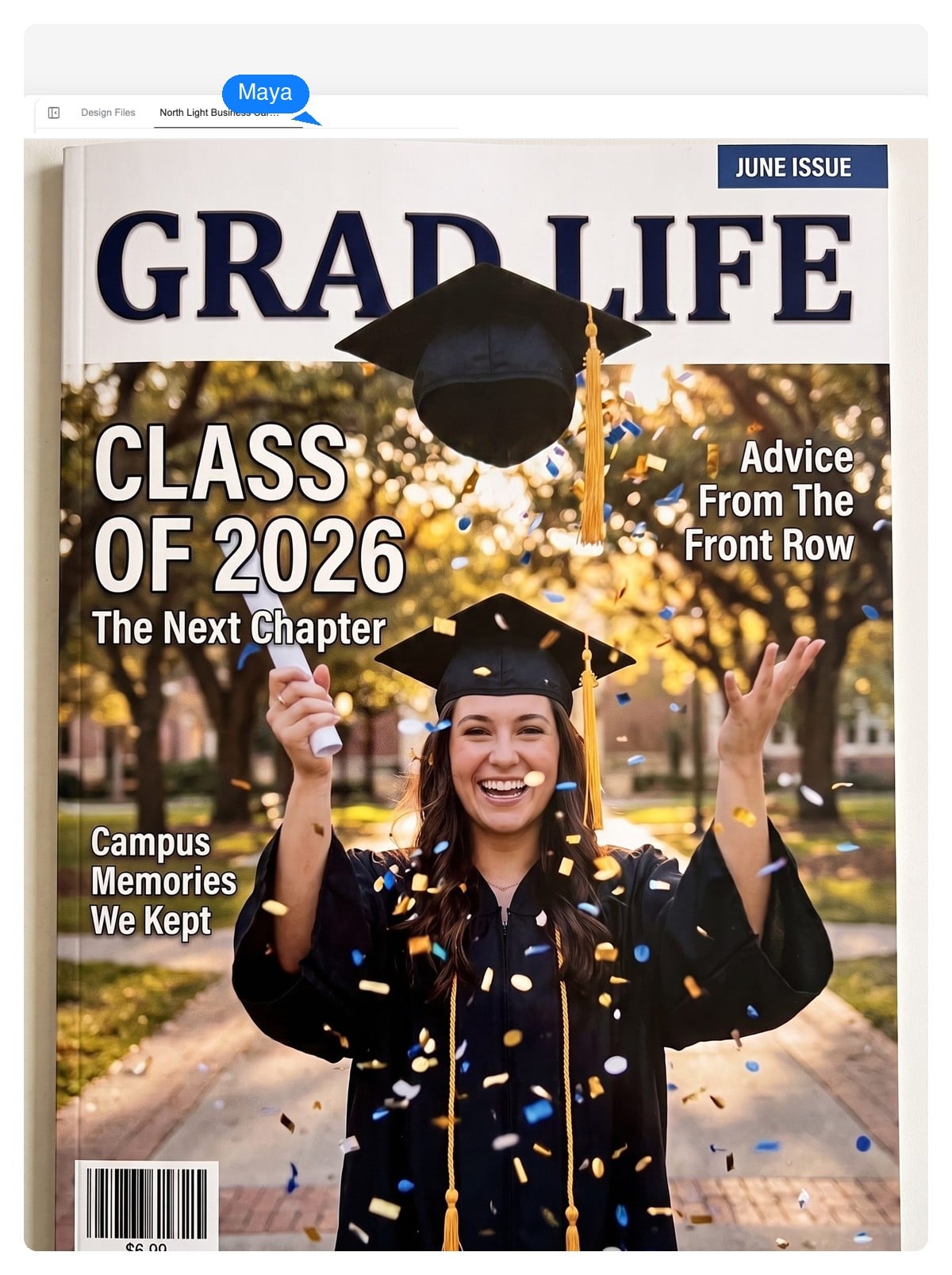
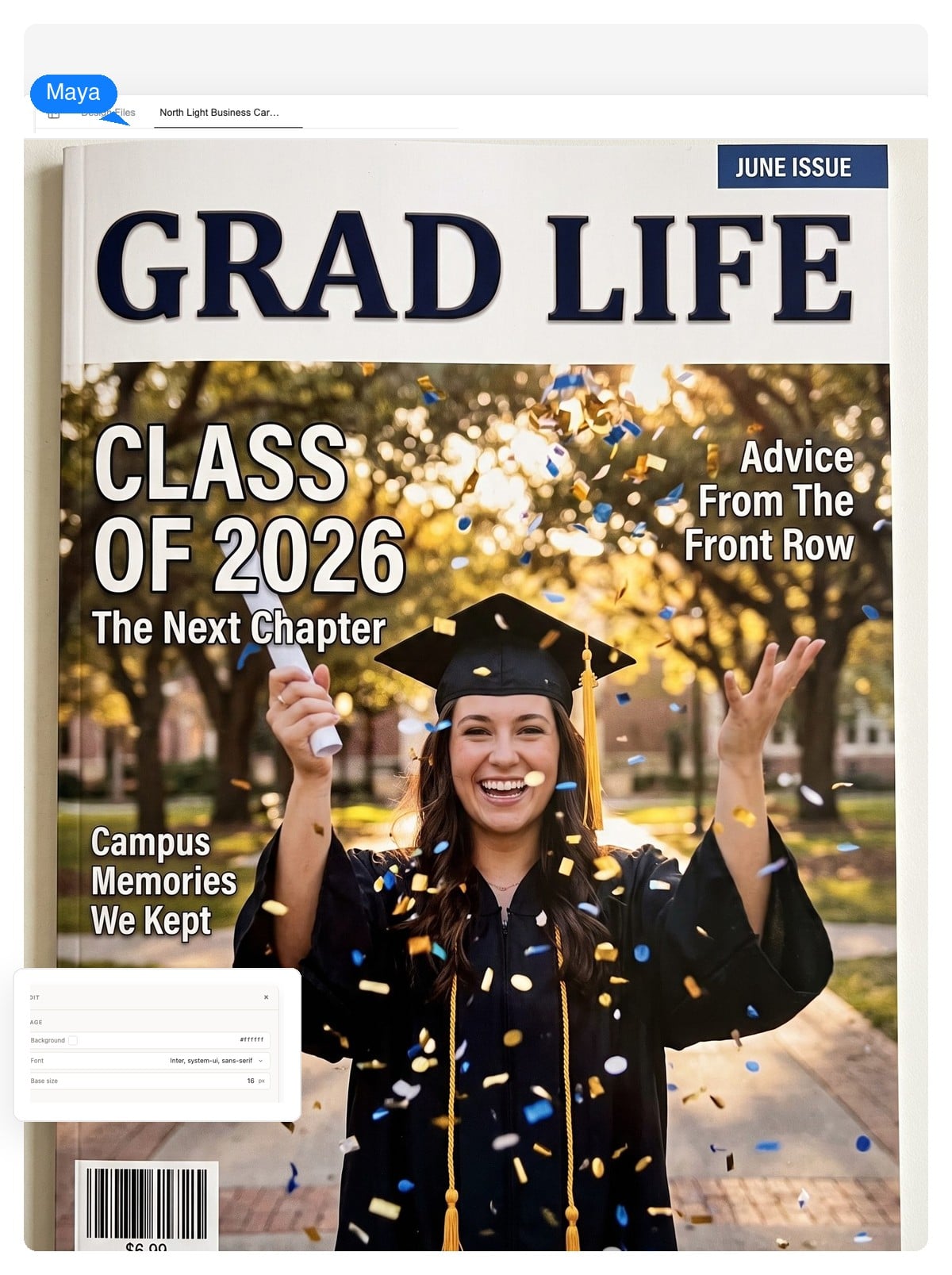
A personalized cover with your photo and inside jokes as cover lines — the custom magazine cover people actually frame. Invent your own masthead; it's funnier, and it's entirely yours.
Templates, rethought
There's no template grid to scroll here. You describe the genre and the mood, the AI drafts the layout — which makes every result a template of one, already filled with your words and your photo.
If you're used to template galleries, start from a brief below. Each generates a different cover-line structure — a lead line with supporting lines for fashion, a quote-led layout for business, date-and-name furniture for keepsakes — and everything stays editable afterwards, exactly like a template you've already customized.
Set the canvas to the size you'll actually publish at — trim size for print, 3:4 for digital covers — and ask for the export to match. These are the numbers that matter.
| US standard trim | 8.375 × 10.875 in (213 × 276 mm) |
|---|---|
| International (A4) | 210 × 297 mm (8.27 × 11.69 in) |
| Digest size | 5.5 × 8.5 in (140 × 216 mm) |
| Print bleed & resolution | 0.125 in (3 mm) per side · 300 DPI |
| Digital cover | 3:4 ratio — e.g. 1080 × 1440 px |
| Feed post crop | 4:5 ratio — 1080 × 1350 px |
| Export formats | PNG · layered PSD · print-ready PDF |
The craft part
Most AI covers fail the newsstand squint test for the same five reasons. All five are layout habits, not model quality — which means all five are fixable.
Genspark's designer treats these as defaults, not options — and because every line is its own layer, you can still override any of them in one message.
It's free to start and no credit card is required. Create a cover, edit the lines, and see the full design before you decide anything.
Yes — that's one of the best uses of this tool. Put your friend's photo on the cover, write the cover lines as inside jokes, and set the issue date to the day itself. One tip from experience: invent your own masthead (THIRTY, GRAD LIFE, THE BIG DAY) instead of imitating a real magazine's logo — it's funnier, it prints cleaner, and the design is entirely yours.
Yes. The masthead and every cover line are editable text layers, not pixels baked into an image. Click a line and retype it, or ask in chat — 'make the lead line shorter and angrier' — and only the text changes.
Yes — upload your photo and the AI works it into the design: it builds the masthead, cover lines and layout around your image rather than pasting text on top of it.
For print, the common US trim size is 8.375 × 10.875 inches with a 0.125-inch bleed at 300 DPI; international covers are typically A4 (210 × 297 mm), and digest-size magazines run 5.5 × 8.5 inches. For a digital-only cover, a 3:4 canvas such as 1080 × 1440 px is the safe default. Tell the AI which one you're designing for and the canvas is set up to match.
Yes — export a print-ready PDF at trim size with bleed, or a layered PSD if a designer will handle final prepress. You get the file rather than printed copies, so before sending it off, ask your print shop for their exact bleed and margin spec — most accept the standard 3 mm.
Yes. Covers you create are yours to use for your publication, brand or client work — indie magazines, media kits, launch announcements, promotional posts. The usual caveat applies to what you put on them: use photos you have rights to, and don't trade on someone else's trademark.
A poster makes one message as big as possible; a magazine cover manages a competing system — masthead, lead line, supporting lines, date strip — on one page. Use the AI poster generator for announcements with a single headline, and this tool when you need that editorial cover-line structure. For book jackets, the AI book cover generator handles spines and back covers too.
Yes — because the photo and masthead live on separate layers, the classic head-over-the-logo overlap is a one-line request: 'bring her head over the masthead.' The toggle demo on this page shows exactly what that one change does to a cover.
There's no fixed template gallery. Instead, a one-sentence brief — 'minimal fashion cover, serif masthead, three cover lines' — generates a layout that behaves like a template you've already customized: the structure is professional, and every line, color and photo on it stays editable. If you'd normally hunt through templates for a genre, start from the brief chips on this page.
Start with one sentence about the issue. You'll get a masthead, cover lines and a photo you can direct — and every line stays editable until it's exactly right.