Scripts from a one-line idea
AI Script Generator, from logline to last page.
Describe the film or video you have in mind and the AI script writer drafts it scene by scene — headings, action, dialogue. Then rework any scene in chat until it plays right.
One script generator, every kind of script
From a feature-length screenplay to a 30-second spot — tell it the format along with the idea, and the draft comes back structured for that format.
Movie scripts
Feature-length screenplays from a logline: act structure, scene headings, and dialogue that carries the story instead of explaining it.
Short films
Tight scripts for festival shorts and student films — few locations, small casts, every scene earning its place.
YouTube videos
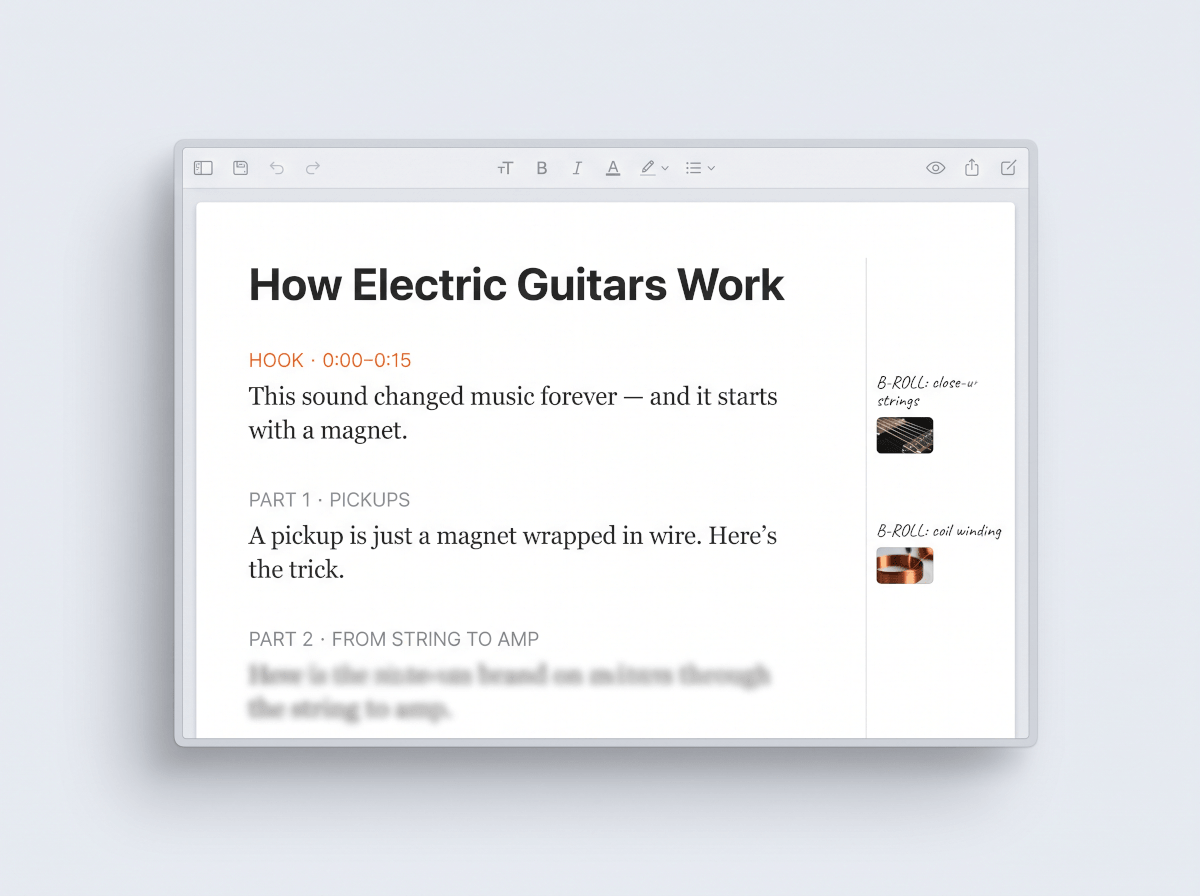
Video scripts with a hook up top, talking points in order, and b-roll notes where the visuals should do the work.
Shorts & Reels
Short-form scripts built around one idea, timed to land the payoff before the swipe.
Commercials
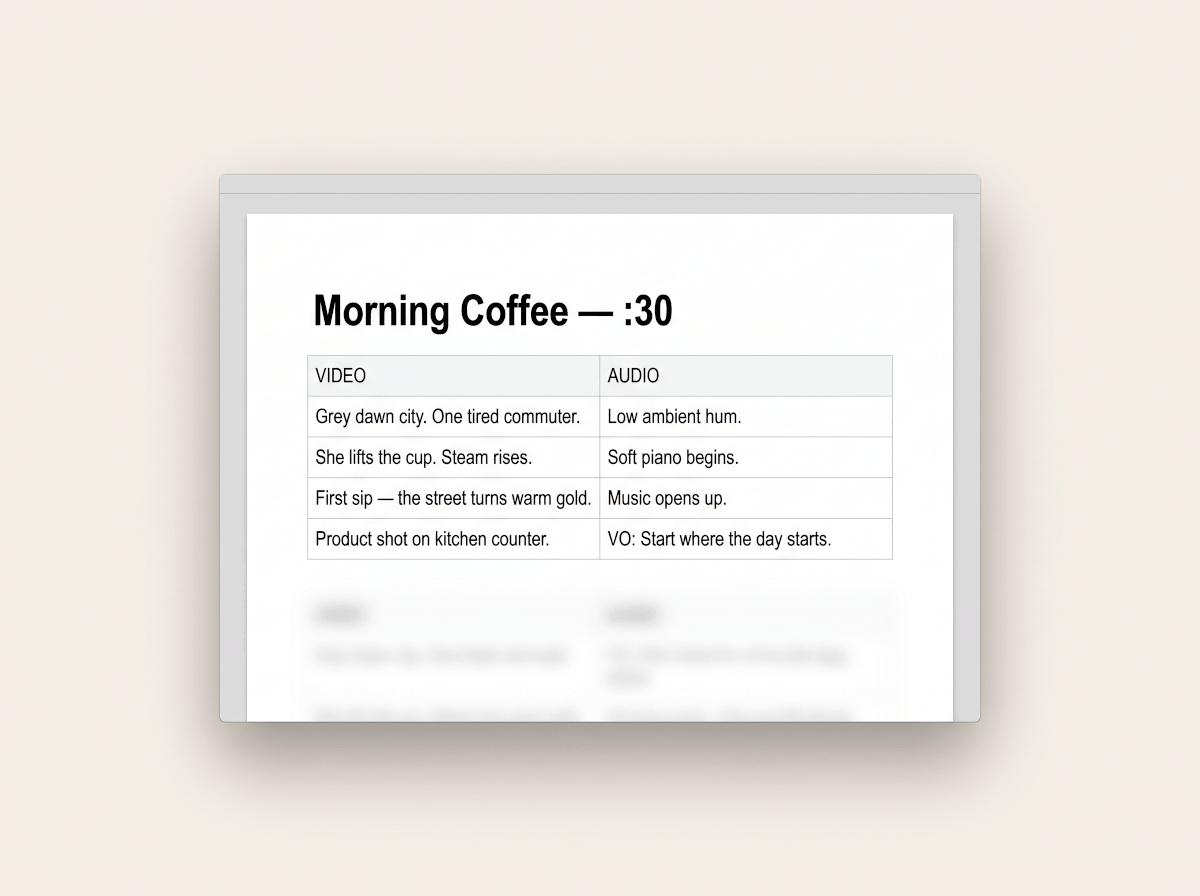
30- and 60-second spot scripts: one message, a visual hook, and the tagline exactly where it belongs.
Documentaries
Voice-over narration and interview questions structured around the story you're actually telling.
Podcast episodes
Episode scripts and outlines — cold open, segments, transitions, and an outro that sets up the next episode.
Stage plays
Playscripts with acts, scenes, and stage directions — dialogue first, because that's all the audience gets.
Real screenplay structure, not a wall of text
A screenplay generator is only useful if the output reads like a screenplay. Drafts come back in the shape working writers expect.
Scene headings
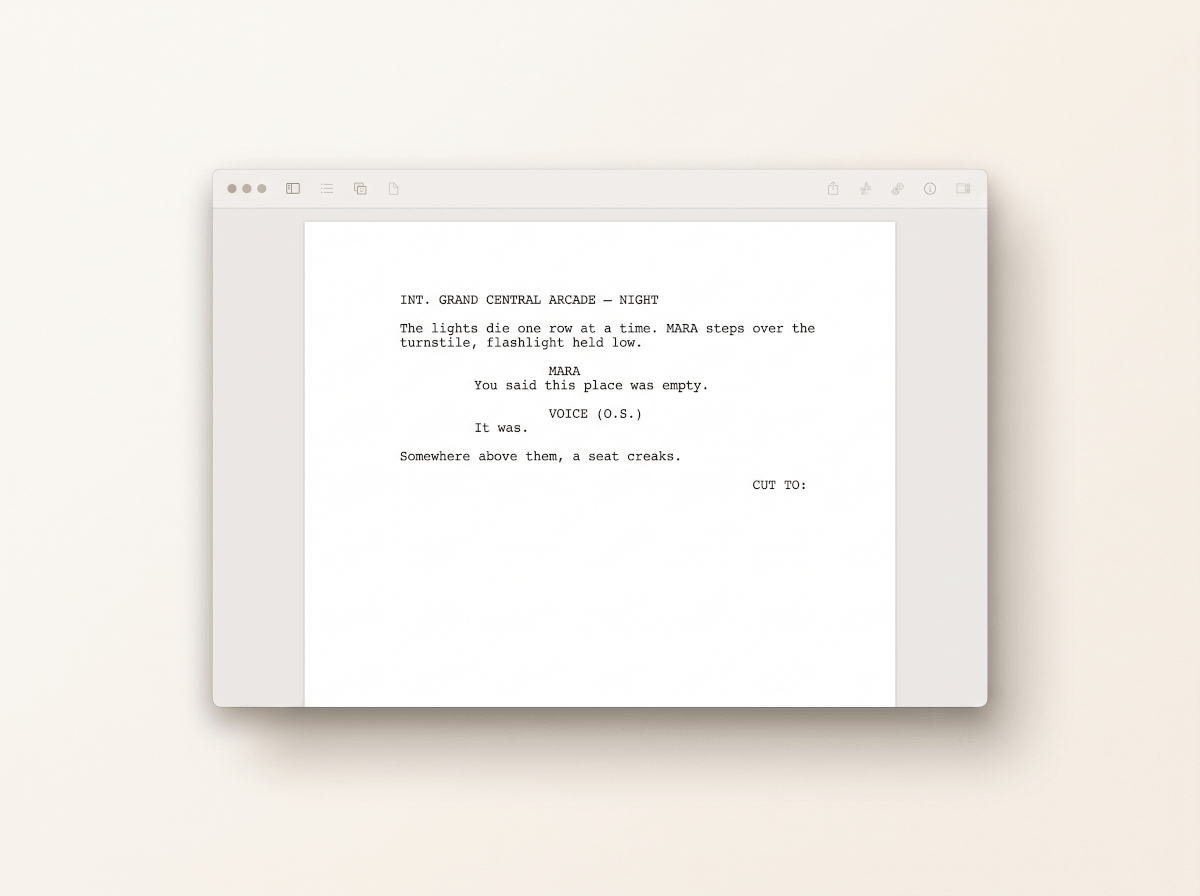
INT./EXT. sluglines that set place and time of day, so every scene opens where a reader expects it to.
Character cues & dialogue
Centered cues with parentheticals only where delivery matters — and dialogue that sounds different for each character.
Outline & beats first
Ask for the beat sheet before the pages: get the story's turns agreed on, then expand beat by beat into scenes.
Action & transitions
Action lines in present tense that describe only what the camera sees, with transitions where the cut actually matters.
From idea to draft in three steps
The script writer works like a writing partner: you decide what happens, it does the typing.
1Describe the idea
A logline is enough — genre, who's in it, what goes wrong. Attach notes or an outline if you already have one.
2Read the draft
The script arrives in an editable document, scene by scene, in proper screenplay structure.
3Revise and export
Ask for a darker third act or punchier dialogue in scene two — then export as DOCX or PDF, or share a link.
What the script generator writes
Real output formats — a screenplay scene, a YouTube script with b-roll notes, and a 30-second spot in AV format.
The script is step one
When the draft is locked, hand it to the AI storyboard generator — it reads your scenes, breaks them into shots, and draws the frames.
Still shaping the story? Start with the AI story generator for prose and plot. For treatments, pitch docs, and everything around the script, there's the AI document generator.
Built for rewrites, not just first drafts
Nobody shoots a first draft. The tools that matter are the ones you reach for after the first pass comes back.
Outline before pages
Get a beat sheet or scene-by-scene outline first, fix the story problems there, and only then let it write pages — it's cheaper to fix a beat than a scene.
Rewrite one scene at a time
Tell it to make the diner scene tense instead of funny, and only that scene changes. The rest of your draft stays exactly as you left it.
Video scripts with production notes
YouTube and short-form scripts come with hooks, section timing, and b-roll suggestions — written for how people actually watch.
Export and share
Download the finished script as DOCX or PDF, keep editing in the document editor, or share a read-only link with collaborators.
Frequently Asked Questions
Can AI write a movie script?
Yes. Give the AI script generator a logline or a few sentences about the story and it drafts a movie script scene by scene — sluglines, action, and dialogue. You stay in charge of the story: review the outline first, then generate and rework scenes until the draft plays the way you intended.
How do I generate a script from an idea?
Type the idea into the box above — genre, who the story follows, what goes wrong — and submit. The generator proposes an outline, writes the scenes into an editable document, and takes revision notes in plain language, like cutting the flashback and opening on the chase instead.
Is the generated script editable?
Fully. The script lands in a document editor, so you can rewrite lines directly or ask the AI to revise a specific scene, character, or run of dialogue. Nothing is locked — the generated draft is a starting point, not a final cut.
What formats can I export?
Scripts export as DOCX or PDF, and you can also publish a shareable link that opens in any browser. If you keep working on the draft, the document stays in your workspace between sessions.
Can it write scripts for YouTube videos and short-form content?
Yes — video scripts are a first-class format here, not an afterthought. Ask for a YouTube script and you'll get a hook, structured talking points, and b-roll notes; ask for a Shorts or Reels script and it's built around a single payoff timed for short-form pacing.