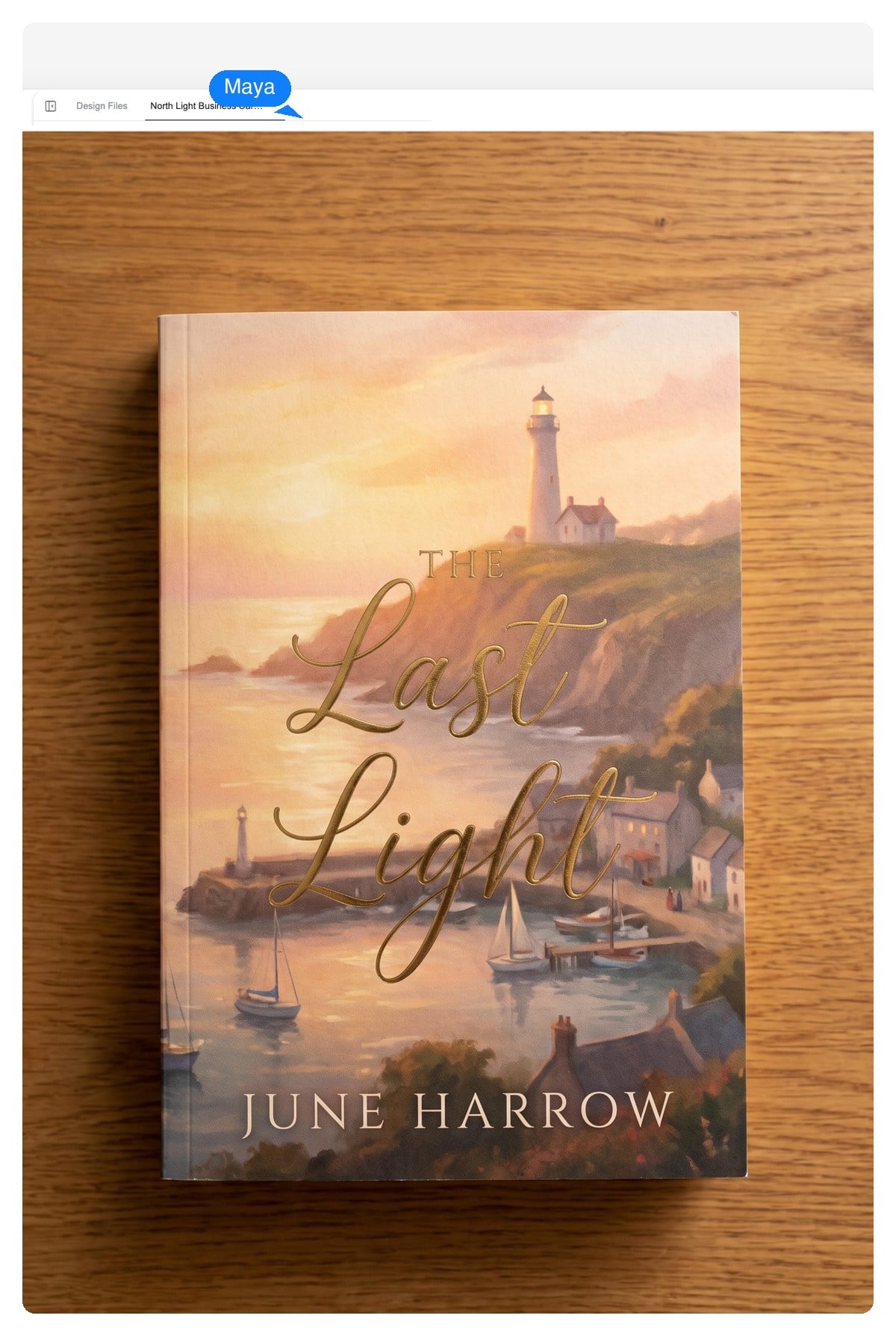
Kindle & KDP ebooks
A front cover built at store proportions, with title type that survives the search-results grid.
Describe your book — genre, mood, a comp title or two — and the book cover maker designs a layered cover: title and author name as live text, artwork as its own layer. Push it around in chat, then export for KDP, print, or wherever you publish.
Editable by design
Most generators hand you one merged picture — change the title and you regenerate everything. Here the cover is built in layers on a design canvas, so the words and the art stay separately yours to change.
Fix a typo, shorten the subtitle, try a different typeface — the text layers update without touching the artwork behind them.
Click the art and ask for a different scene, palette, or mood. The type system you've already approved stays exactly where it is.
Download a native-size PNG for upload day, a print-ready PDF for paperbacks, or a layered PSD if you want to finish in your desktop editor.
Text layer — retype itImage layer — regenerate itCover ideas are cheap to explore when nothing is merged. We gave the agent one logline and asked for four genre directions — same title, same author, four different shelf lives.
The logline: a lighthouse keeper starts answering a voice in the storm.
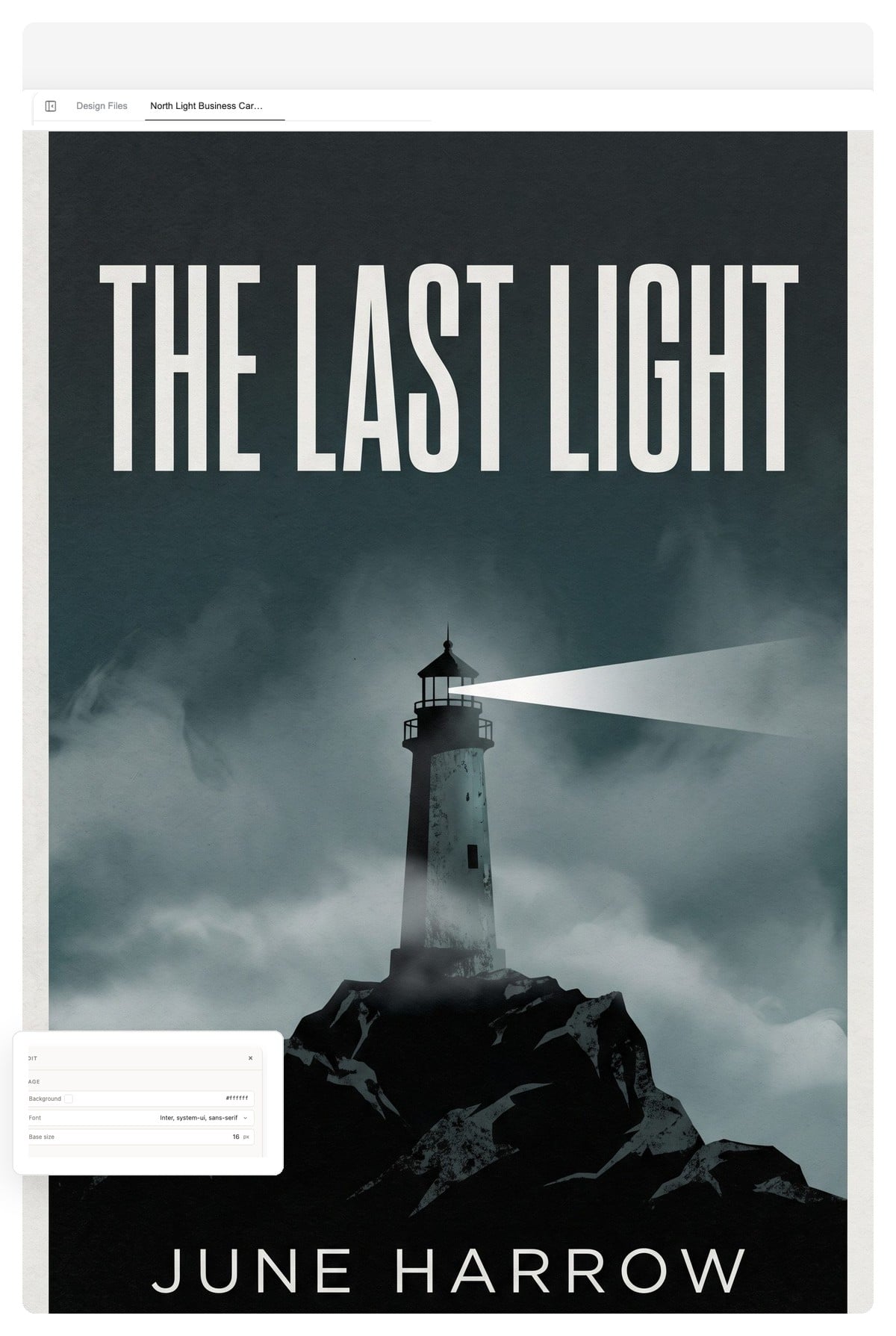
Fog-black palette, hard condensed caps, one cold light source. The genre promise: someone is not coming back.
Move or drag across the book to tilt it and read the spine. The 3D book is a page demo — your actual spine gets designed at your trim size.
Give it the title, author name, genre and mood — paste the blurb or a couple of comp titles ('for readers of…') if you want the art to key off them.
The agent composes artwork and typography as separate layers on a cover-sized canvas — ebook portrait by default, any trim size if you ask.
'Bigger title.' 'Try a serif.' 'Same layout, moodier sky.' When it reads right at thumbnail size, download the PNG, layered PSD, or print-ready PDF.
It's rarely the art. These are the five tells we design against — worth checking on any cover, from any tool.
No tool fixes a mismatched brief. The craft lives in what you ask for — the rules above are what to ask for.
A front cover built at store proportions, with title type that survives the search-results grid.
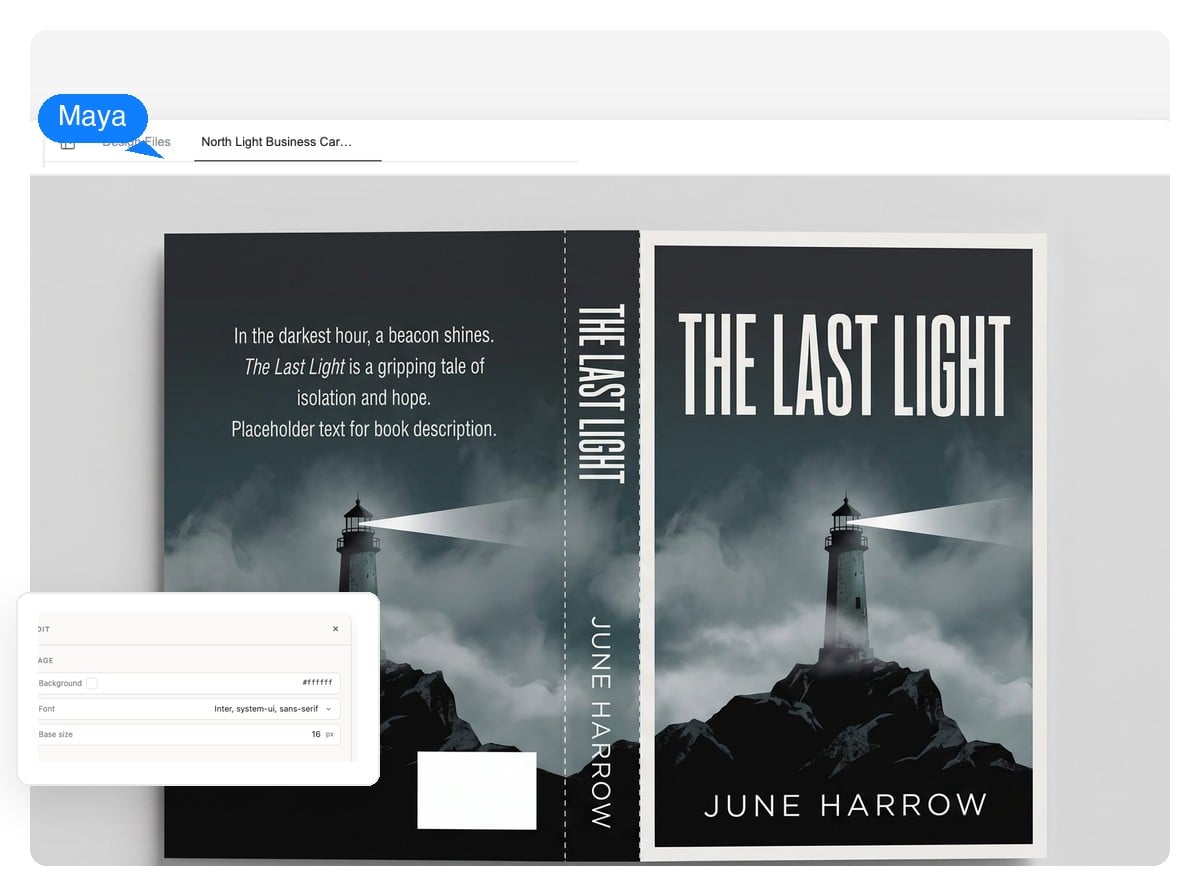
Back cover, spine and front as one composition at your trim size, with the blurb and spine text kept as editable layers.
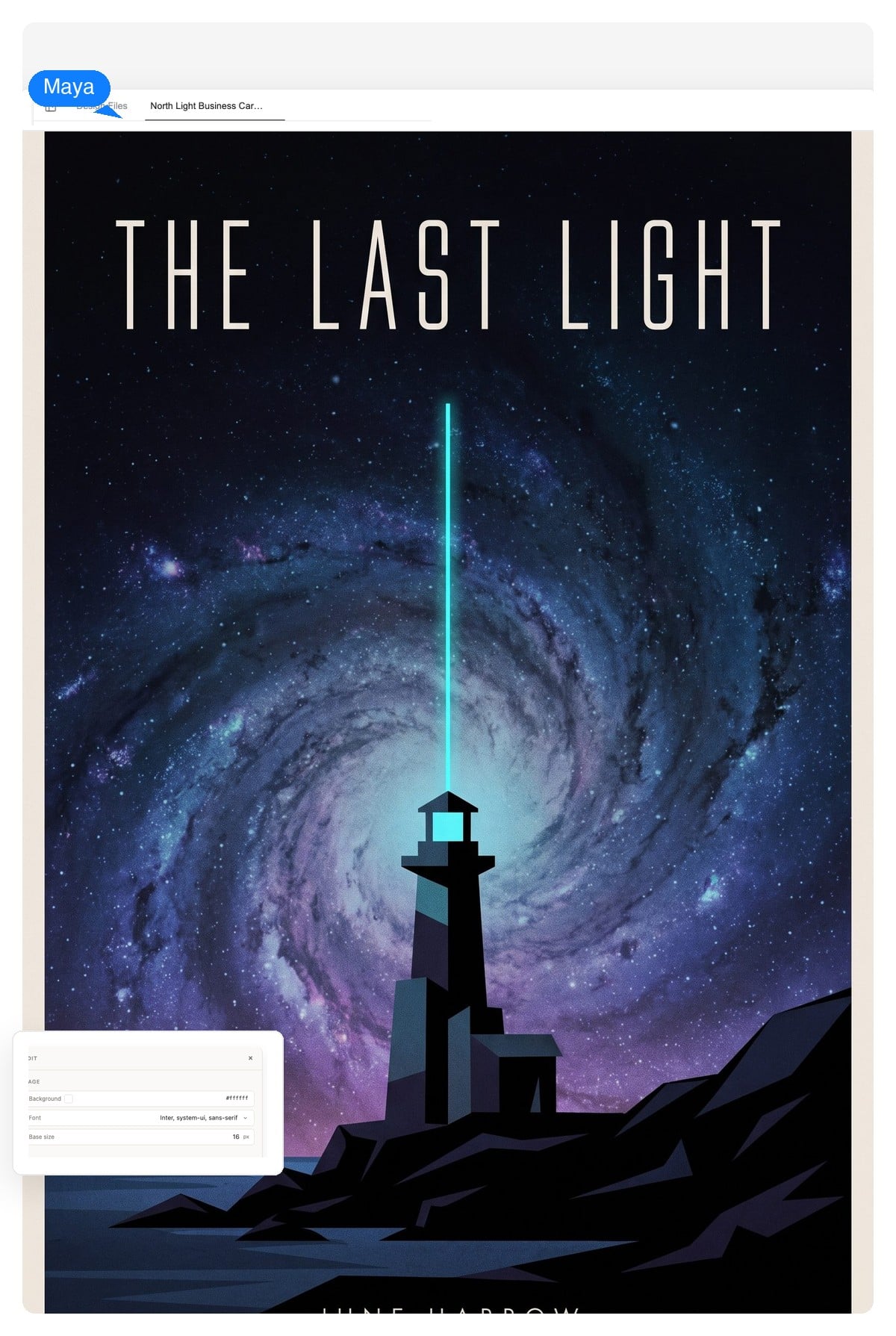
Lock the type system on book one, then swap the art layer for each sequel — the fastest route to a shelf that looks intentional.
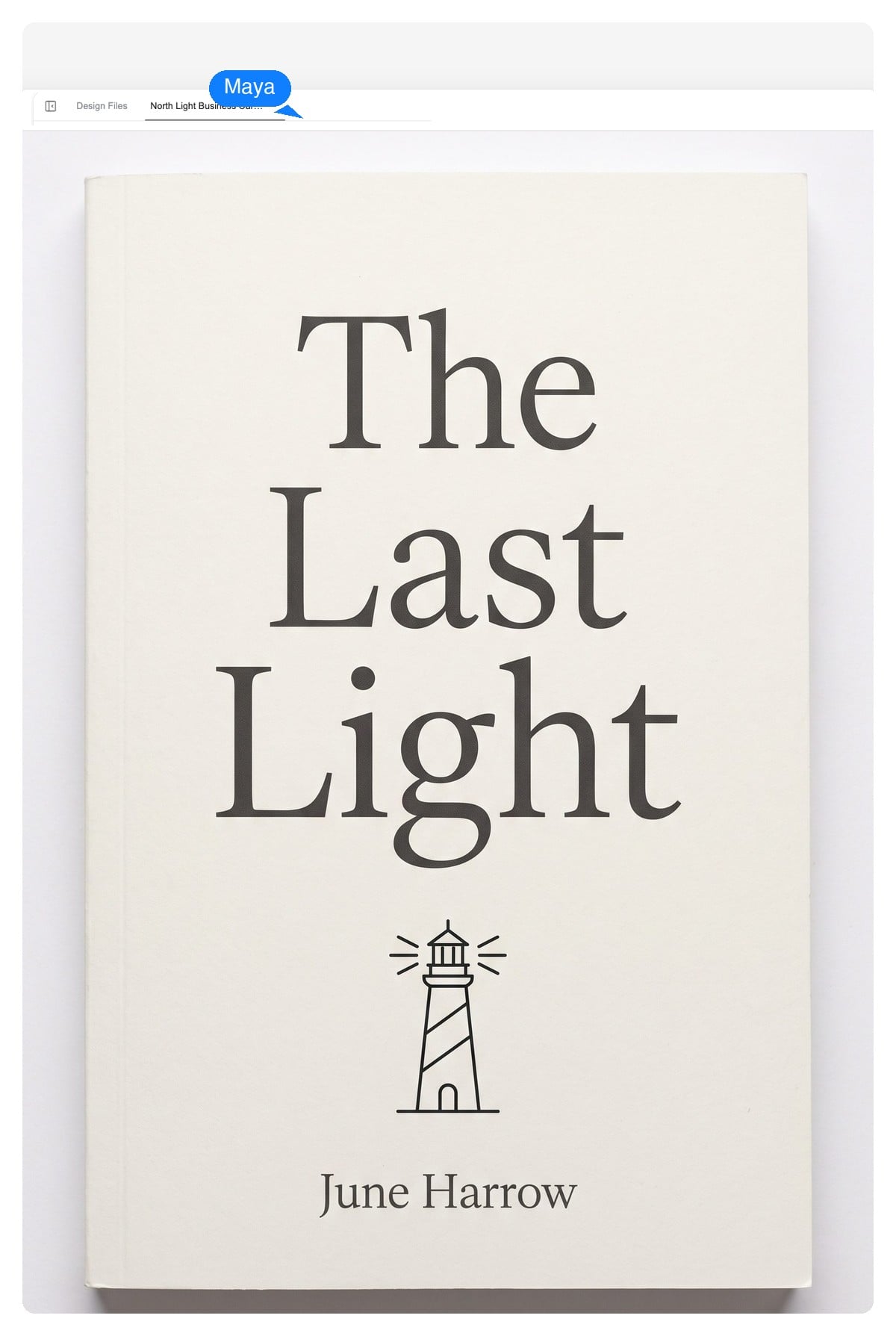
Type does the selling: a big clear promise, room for a subtitle, one motif instead of a collage.
Mood-forward covers at 512 × 800 that still read in a crowded feed.
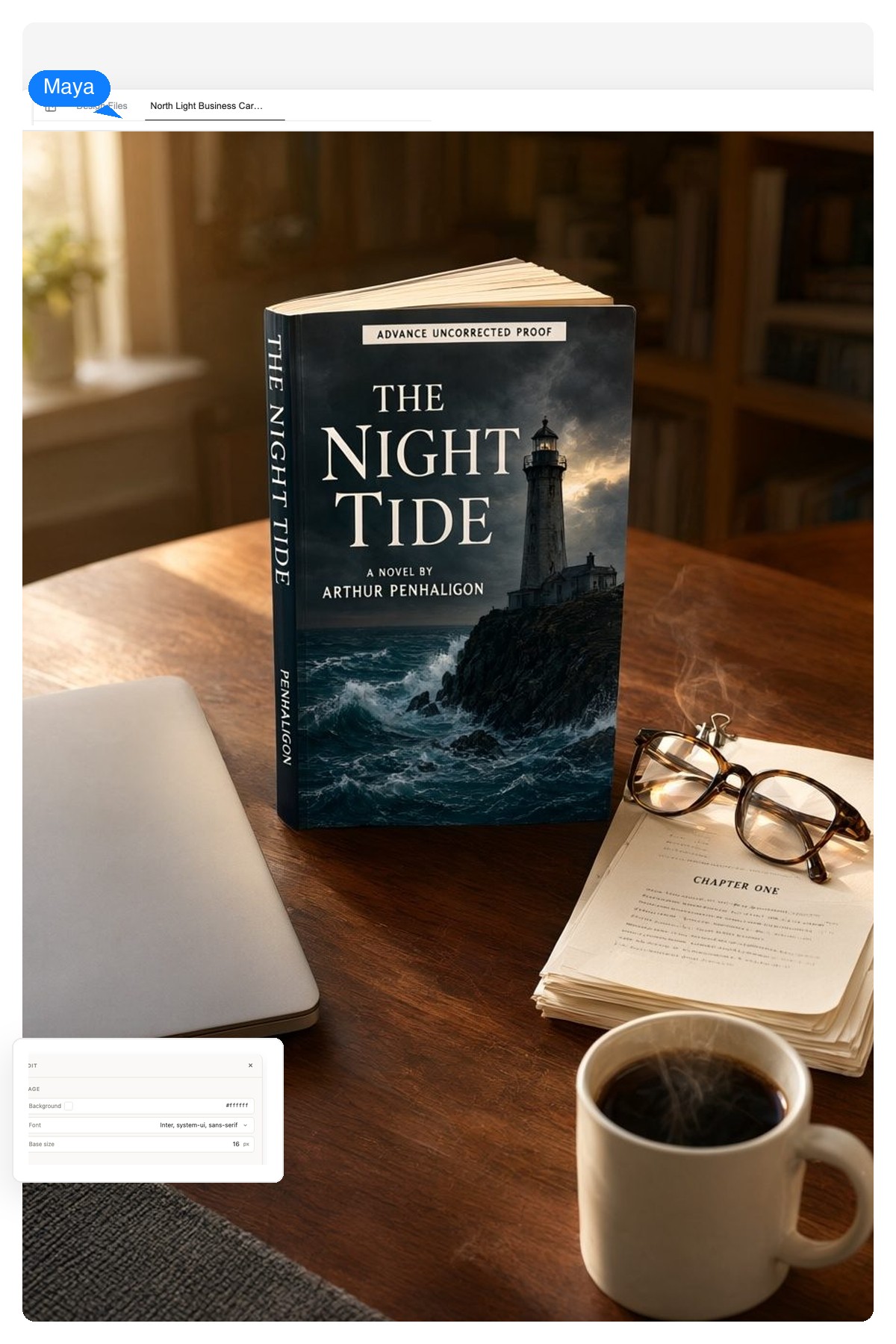
Carry the finished cover into announcement posts and preorder graphics — the same agent handles any single-page layout.
Platform facts, not marketing claims — pin them next to your brief. The agent designs at whatever size you name; these are the sizes worth naming.
| KDP ebook cover | 1,600 × 2,560 px recommended — 1.6:1 height-to-width, JPEG or TIFF upload |
|---|---|
| KDP minimum | At least 1,000 px on the longest side — below that the file is rejected |
| Print wrap (paperback) | Back + spine + front on one canvas at trim size, plus 0.125 in bleed — 300 DPI PDF |
| Common trim sizes | 6 × 9 in leads fiction and non-fiction; 5 × 8, 5.25 × 8 and 5.5 × 8.5 in follow |
| Spine width (KDP) | Page count × 0.002252 in on white paper, × 0.0025 in on cream — 320 cream pages ≈ 0.8 in |
| Audiobook cover | 2,400 × 2,400 px minimum, square JPG or PNG |
| Wattpad | 512 × 800 px — a small canvas, so the title has to do the work |
The same agent runs a full paged-book pipeline — chapters, front matter, print-ready interior pages — and the ebook tool helps you draft the manuscript itself.
Posters, flyers, social graphics — any single-page composition comes off the same design canvas as your cover.
Album art and magazine covers are the same craft at different proportions — same layered output, different shelf.
A tool that turns a written brief — title, author, genre, mood — into a finished cover design. Most generate one merged image. This one composes a layered design instead: artwork on one layer, title and author name as live text above it, so you can keep editing after the reveal.
Free to start, no credit card required. You can describe your book, get the layered design, and iterate on it in chat before deciding anything.
Amazon KDP recommends 1,600 × 2,560 pixels at a 1.6:1 height-to-width ratio, and requires at least 1,000 pixels on the longest side. Ask for 'KDP ebook size' and the cover is composed at those proportions.
Yes — a wrap is one wide composition: back cover, spine and front cover at your trim size plus bleed. Tell the agent your trim and page count so the spine is proportioned to your book, keep the blurb as editable text, and leave the back-cover barcode zone clear — KDP places its own barcode there if you don't supply one.
Yes. They're text layers, not pixels — retype them, resize them, or swap the typeface without regenerating the artwork. If it's the art you want to change, click that layer and regenerate it alone.
Native-size PNG, print-ready PDF, and a layered PSD where every design layer arrives as its own layer in your desktop editor. There's no vector export — cover platforms take raster and PDF uploads anyway — and if a printer insists on CMYK-managed files, do that final conversion from the PSD.
Ask for both: the ebook front first, then the full wrap at your trim size. The agent re-lays the same composition for each format, so the store thumbnail and the printed spine stay recognizably one book.
Yes. KDP asks you to declare AI-generated images when you set up the title — it's a disclosure step, not a rejection. Standard content rules still apply, same as any cover.
Upload it and the agent works it into the design — commissioned art with properly set type is a classic self-publishing workflow, and your author photo can sit on the back cover as its own layer.
The tells are genre mismatch, mushy melted lettering, and plot-collage art — the five rules above. Two of the three are structural here: type is rendered as real text, and the brief you write sets the genre codes. The third is taste, which is what the chat iteration is for.
Genre, mood, one comp title — that's enough for a first layered draft. Then push it around in chat until it's the cover you'd pick up.