
Consulting
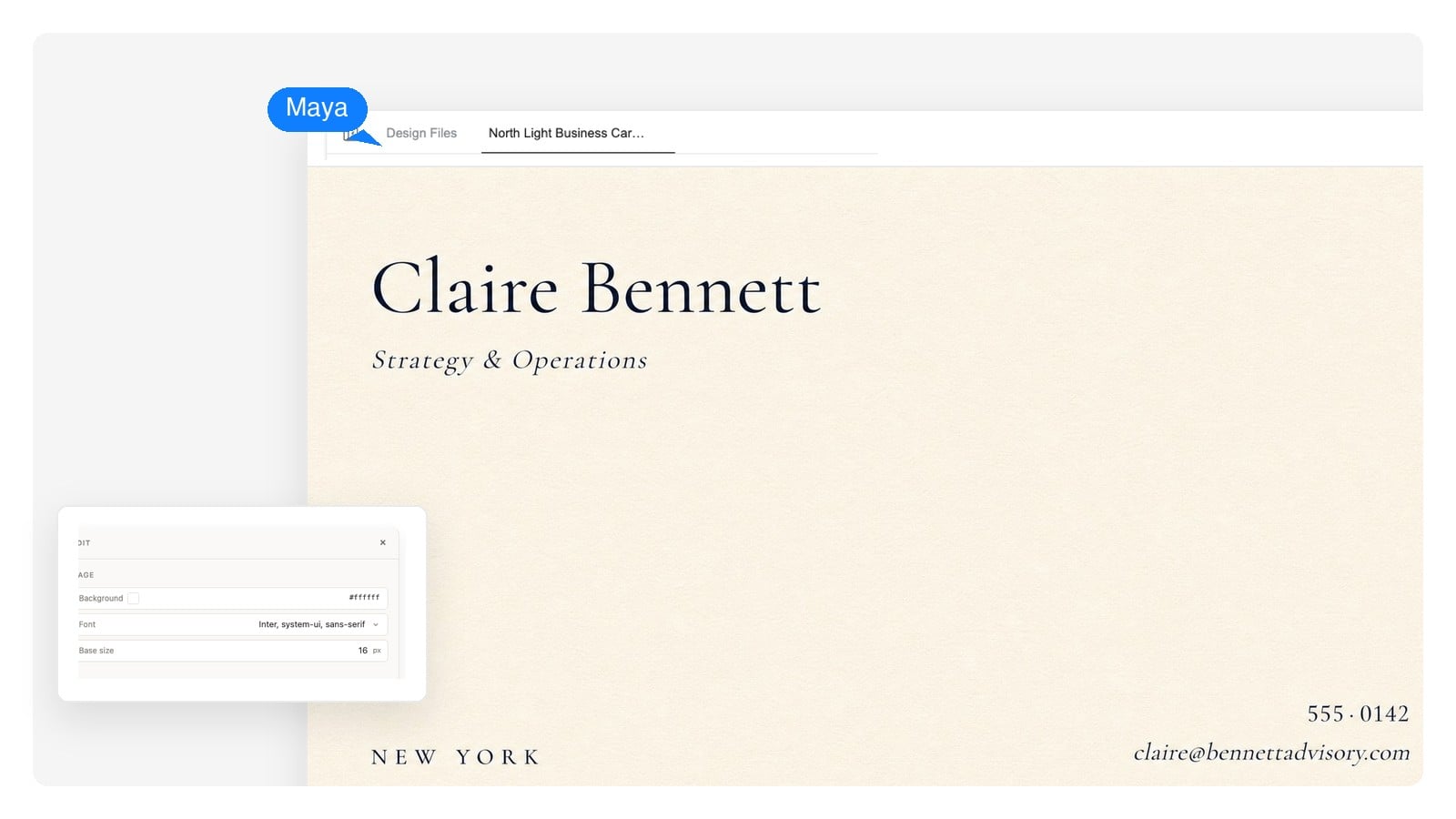
Restraint reads as confidence: one serif, one color, generous margins. The card equivalent of a firm handshake.
Tell it your name, what you do, and the feel you're after. Genspark designs your card as editable layers — front and back — then exports files sized for real printing. A free online business card maker that works from a conversation, not a form.
A design, not a picture
Most AI card tools hand you a flat image: if the phone number is wrong, you regenerate and hope. Genspark builds the card as layers you can open and change — which is what makes it a business card designer rather than an image button.
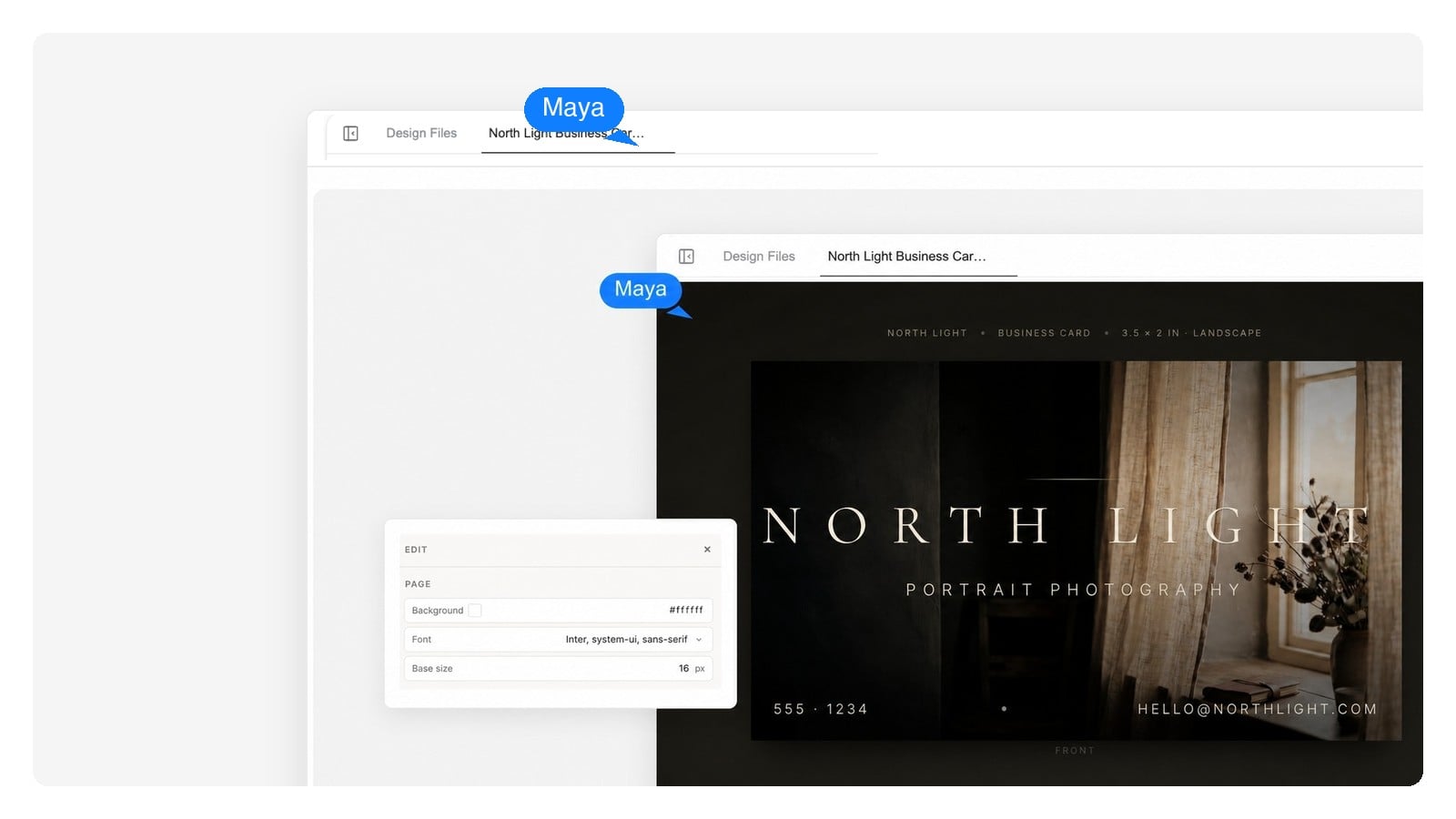
Name, title, phone, email — each is a text element on its own layer. Fix a typo or swap the number without touching the rest of the design.
Select the name and try a different typeface. Nudge the logo. Recolor the back. Changes stay exactly where you put them.
A second color way, a version with your new job title, a back with opening hours — describe the change and the layout holds.
Print truth
A card that looks great full-screen can fail at 3.5 by 2 inches. Preview it at real size, flip it over, and switch on the print guides most tools never show you.
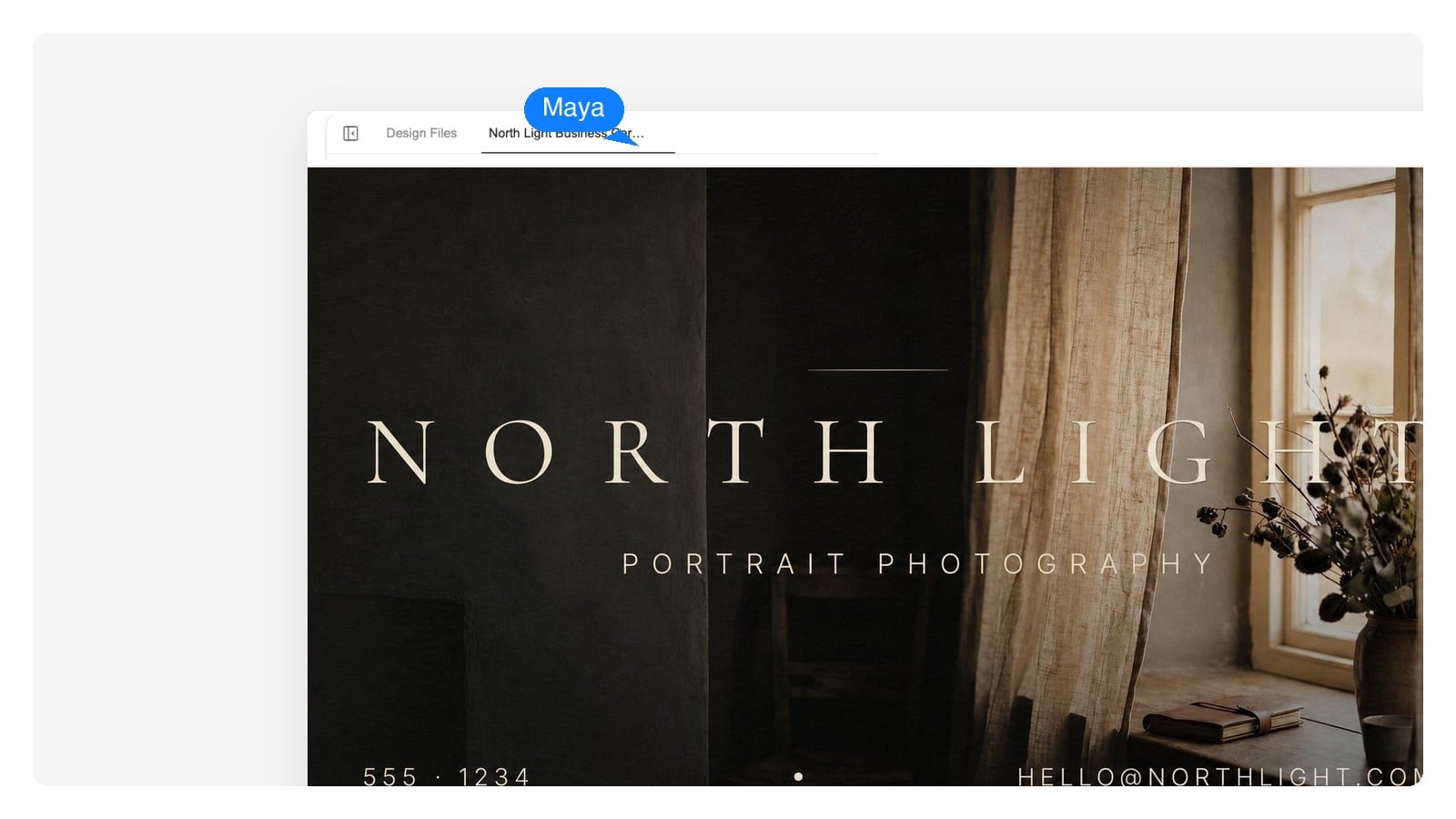
On most desktop screens this preview is true to size — 3.5 × 2 in, a touch wider than a credit card. Hold one against the screen to check.
The back was designed in the same conversation as the front — same logo, same palette, flipped hierarchy. Ask for both sides and they arrive as one design.
Name, title, business, contact lines, and the feel — quiet and expensive, warm neighborhood café, sharp and technical. Paste your brand colors if you have them.
Front and back, type hierarchy, logo placement — on a canvas at true print size with bleed, not a square image you crop later.
Change any line in place, then download a PNG for screens, a layered PSD to keep editing, or a print-ready PDF for your print shop.
The same tool reads 'strategy consultant' and 'barbershop' and lands in different worlds — type, color, spacing. Start from a real example and make it yours.
Restraint reads as confidence: one serif, one color, generous margins. The card equivalent of a firm handshake.
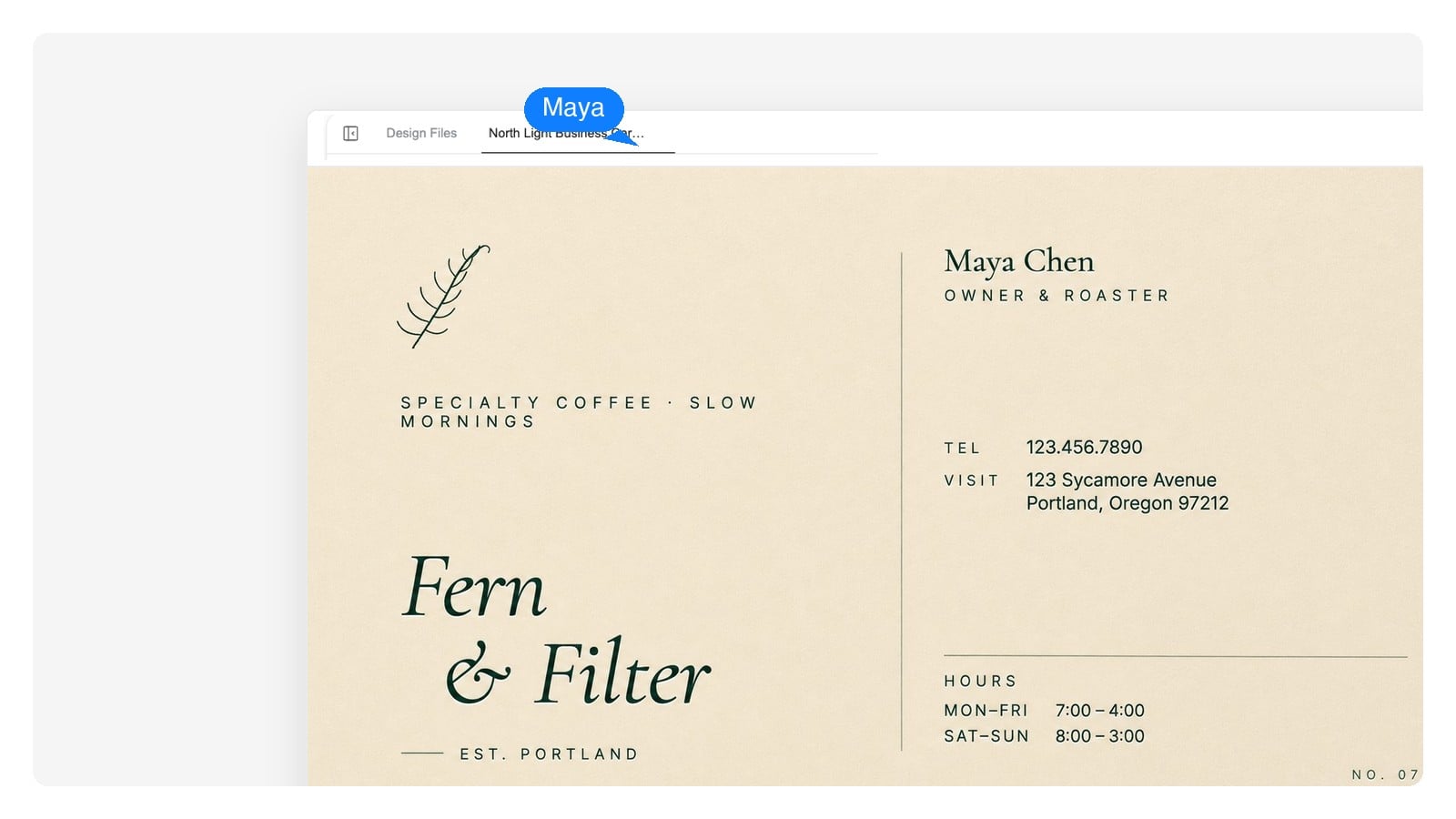
Warm paper tones, a hand-drawn mark, hours on the back. The card doubles as a small piece of the shop itself.
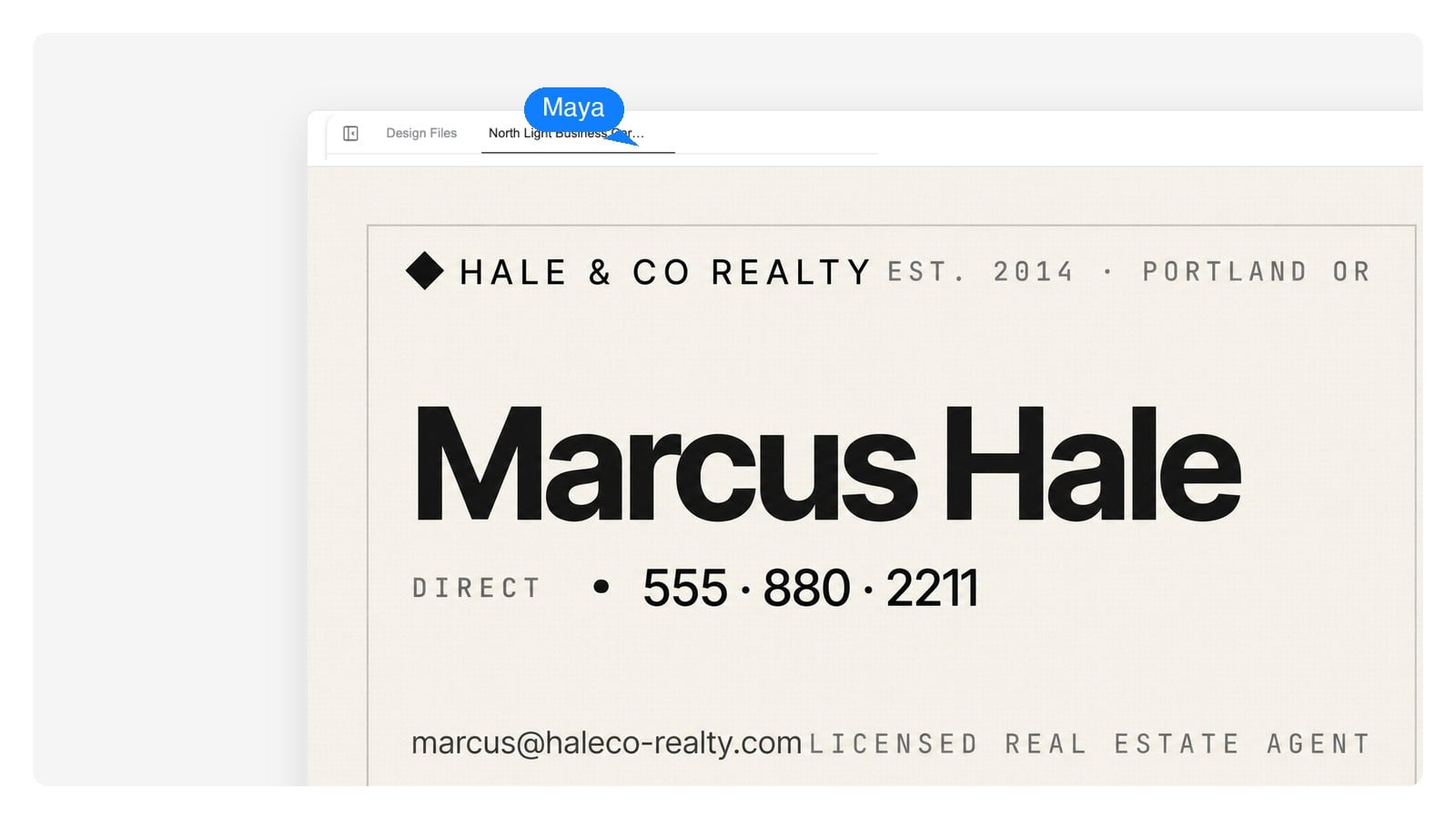
Your name is the brand: big confident type, the direct phone line front and center, brokerage details kept quiet.
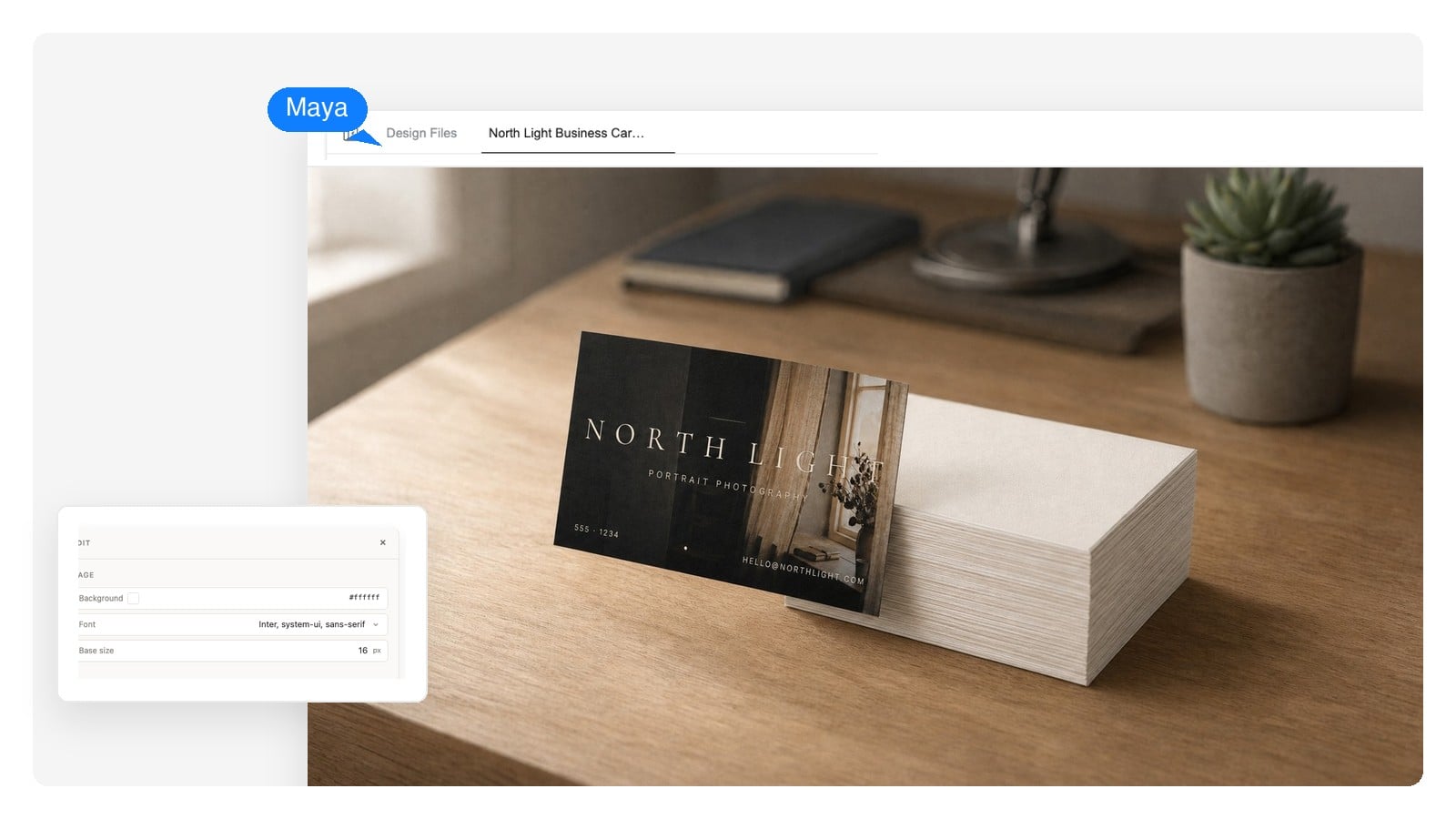
A full-bleed image front shows the work; the contact block stays inside the safe zone. This is the exact card in the print preview above.
Business cards are unforgiving — a few millimeters decide whether the card feels right in the hand. These are the specs the generator designs to, and the ones your print shop will ask about.
| US / Canada standard | 3.5 × 2 in (89 × 51 mm) |
|---|---|
| Europe standard | 85 × 55 mm (3.35 × 2.17 in) |
| Japan standard | 91 × 55 mm |
| Bleed | 0.125 in (3 mm) on every side — a US card file becomes 3.75 × 2.25 in |
| Safe zone | Keep text and logo at least 0.125 in (3 mm) inside the trim line |
| Print resolution | 300 DPI — generate at print size so type stays sharp on paper |
| Files you can export | PNG at native size, layered PSD, print-ready PDF |
Exports are RGB. Most online print services accept RGB PDFs and convert to their own press profile — when in doubt, check your printer's file specs before ordering.
Craft, honestly
Anyone who has printed a few hundred cards learns the same short list. The generator designs around these by default — and once you know them, you'll spot them everywhere.
Every one of these is a default, not a law. It's your card — override any of them in chat and the design will follow.
Beyond the card
The same identity — logo, colors, type — wants to show up on more than 3.5 by 2 inches. Each of these picks up where the card leaves off.
The mark that goes on the card. No logo yet? Make it first — the card design will build around it.
The card's bigger sibling: the same identity at letter and A4 size for proposals and invoices.
For when one card's worth of information isn't enough — openings, promotions, events.
Tri-folds and product stories, laid out on real paper sizes just like the card.
A tool that turns a plain-language description — your name, what you do, the feel you want — into a finished business card design. Some call it a business card creator or maker; the difference with Genspark is that the result is an editable layered design at true print size, front and back, rather than a flat image.
Yes. Name, title, phone, and email are text elements on their own layers, not pixels baked into an image. Click a line to change it, or ask in chat — the rest of the layout stays put.
3.5 × 2 inches (89 × 51 mm) in the US and Canada, 85 × 55 mm across most of Europe, and 91 × 55 mm in Japan — in India and elsewhere the same format is called a visiting card. Tell the generator which market you print in and it sets up the canvas, bleed included.
Three things: the right trim size, 0.125 in (3 mm) of bleed on every side, and text kept inside the safe zone — all designed at 300 DPI. The generator sets the canvas up that way from the start, and you export a print-ready PDF when you're done.
It's free to start, with no credit card required. Describe your card, see the full design, and refine it before you export anything.
Yes, in the same conversation. Ask for a front and back and both arrive as one design — shared logo, palette, and type, with the back usually kept quieter: a logo, a tagline, or opening hours.
Yes — upload it and the design builds around it, picking up your colors. No logo yet? Make one with Genspark's AI logo generator first: a card designed around a real mark always beats a card with a logo squeezed in later.
Yes. It's your business card — print it, hand it out, put it in your email footer or portfolio. That's what it's for.
PNG at the card's native size for screens, a layered PSD if you want to keep editing in other software, and a print-ready PDF for the print shop. Exports are RGB — most online printers accept RGB PDFs and convert to their own press profile.
Because cards are printed on large sheets and cut down, and the blade drifts — up to about a millimeter either way. Text sitting right at the trim line lands under the blade on a bad cut. That's why designers keep text 3 mm inside the edge and extend backgrounds 3 mm past it; the print-guide preview above shows both zones on a real card.
Describe your work, get a layered design at true print size, and change anything until it feels like you. Free to start.