Hi Priya — Friday end of day works. To get there I'll trim the appendix to the two tables you actually present, and send the full version next Wednesday as planned. If that trade-off is fine, consider it confirmed. — Sam
AI Email Response Generator
Paste the email you got. The reply you send back is the hard part — and that's the part this does. Three angles, your tone, ready in seconds.
One email in, three ways to answer
A real thread, three real drafts. Each reply takes a position — that's what generating a response should actually mean.
The email you received
Hi — leadership moved our review to Monday, so we'd need your part by Friday end of day instead of next Wednesday. I know it's short notice. Is that doable on your side? — Priya
Same answer, three tones
Here's the summary-deck reply again — dial the register to match the sender.
Formal
Dear Priya, Thank you for the early notice. The complete deliverable cannot be finalized by Friday; however, I can provide a summary deck by Friday noon, with the full version to follow on Wednesday. Please let me know whether this arrangement supports Monday's review.
Friendly
Hey Priya — short notice indeed! The full thing by Friday isn't happening without cutting corners, but I can get you a tight summary deck by noon Friday and the rest on Wednesday. Deal?
Brief
Hi Priya — full version by Friday isn't realistic. Summary deck Friday noon, full deliverable Wednesday. OK on your end?
Starting from a blank page instead of a received email? That's the AI email generator — it writes new emails from a prompt, while this page is built for replies.
Replies live in your inbox — so put the AI there
A response generator is great for one email. GenMail is what it looks like at inbox scale: every message that needs an answer gets a draft staged in your voice, learned from how you actually write.
Drafts wait for your review — sending stays your call. It works with Gmail and Outlook.
See GenMail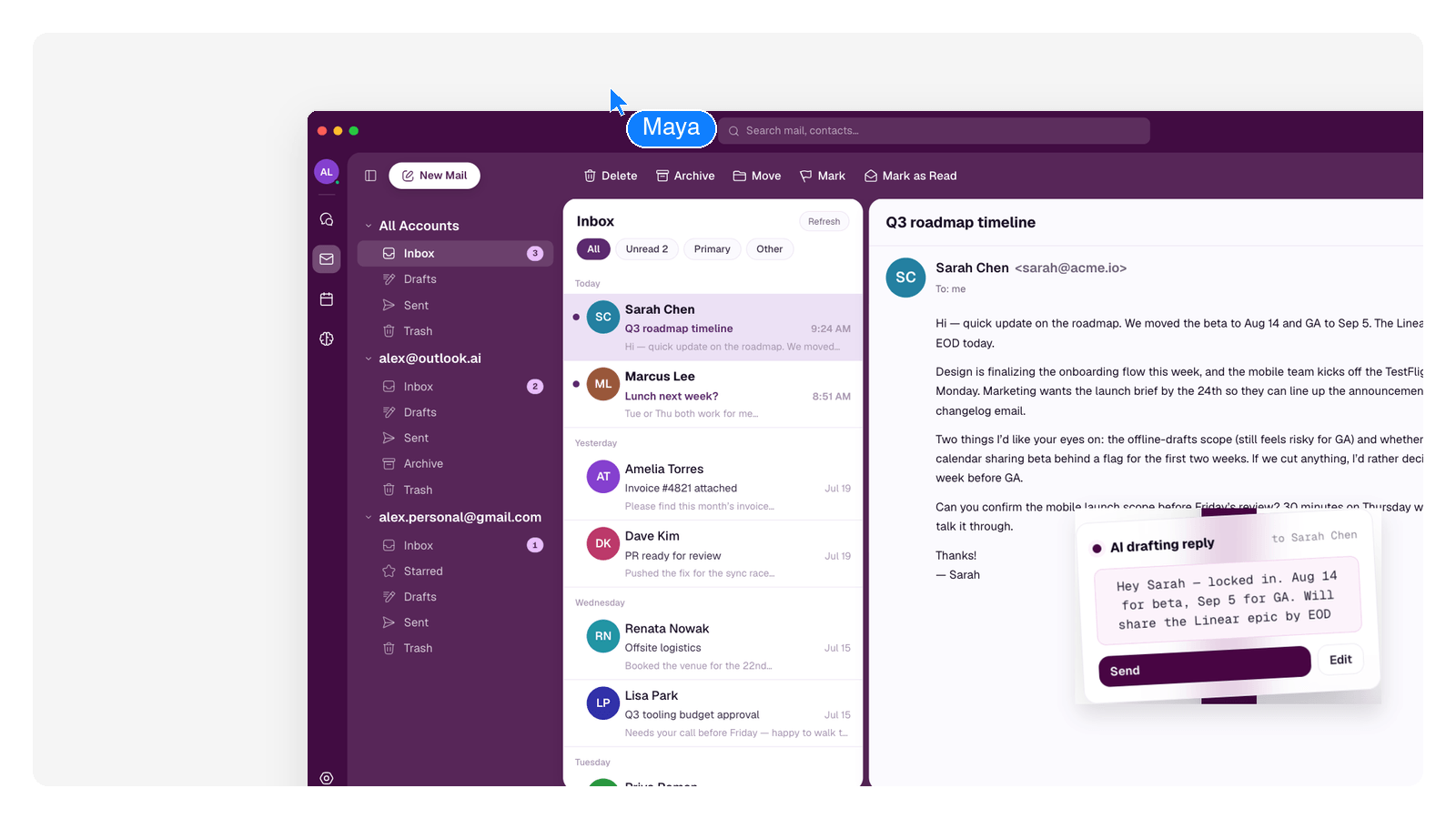
Frequently Asked Questions
How do I use the email response generator?
Paste the email you received into the box, add any context that matters — your relationship with the sender, the outcome you want — and submit. You'll get a reply draft you can edit and send from your own mail app.
Can I control the tone of the reply?
Yes — ask for formal, friendly, brief, firm, or describe it your own way, like "warm but don't overpromise." The same answer can be redialed to a different register without rewriting it yourself.
Can it handle a long thread, not just one email?
Paste the whole thread. The AI reads the history, works out what's actually being asked now, and answers the live question rather than the first message.
What's the difference between this and the AI email generator?
The generator writes a new email from a prompt — outreach, an announcement, an application. This page starts from a received email and drafts the answer. They share the same writing engine; the input is what differs.
Is the reply safe to send as-is?
Treat it as a strong draft. It will be faithful to the thread you pasted, but you know the relationship — a ten-second read before sending is the right habit, and the drafts are written to make that read fast.
Explore more tools
Business & Productivity
AI Business Plan GeneratorAI Math SolverClipboard ManagerShare TerminalAI CRM BuilderAI Dashboard GeneratorAI Database BuilderAI Form BuilderAI Task ManagerAI Website BuilderAI App BuilderAI Presentation MakerAI Spreadsheet GeneratorAI PowerPoint GeneratorAI Chart GeneratorSankey Diagram GeneratorAI Flowchart GeneratorAI Org Chart GeneratorAI Diagram GeneratorAI Portfolio GeneratorAI Pitch Deck GeneratorAI Invoice GeneratorAI Proposal GeneratorAI Resume BuilderAI Report GeneratorAI White Paper GeneratorAI Case Study GeneratorAI Ebook GeneratorAI Schedule MakerAI Workout GeneratorAI Logo GeneratorAI PDF SummarizerAI PDF TranslatorAI Email GeneratorAI Email AssistantAI Email AgentAI Email OrganizerAI EmployeeWord to PPT ConverterAI PDF to PPTText to PPT AIAI Phone CallMarket Research Tools