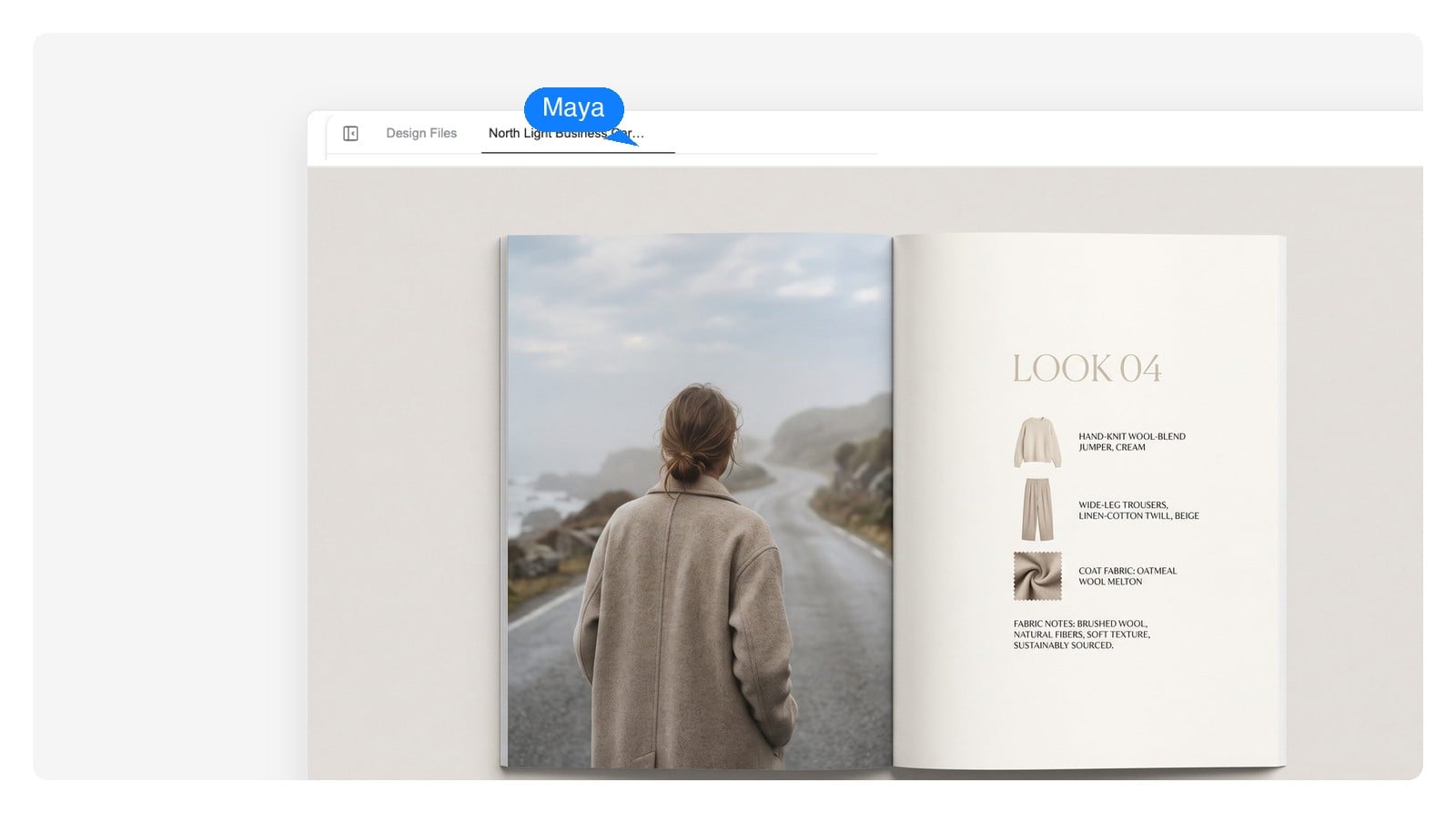
Fashion lookbook
Story first, density last: one look per spread, big photography, quiet type. A lookbook sells the season — the line sheet that follows it takes the order.
Describe your product line and get the whole catalog as an editable multi-page design — cover, collection grids, detail spreads. Export a print-ready PDF at real paper sizes, or publish it as a page-flip digital catalog. An online catalog maker built for ecommerce, wholesale and fashion teams.
A design, not a picture
Most AI tools hand you a flat image of a catalog page. This one hands you the design itself — pages you can open, edit and rework, all the way to the printer.
Names, prices, SKUs and descriptions are live text blocks. When a price changes at reorder time, you edit the number — you don't regenerate the page and hope nothing else moved.
Swap one product photo, regenerate just the image behind it, or ask for a different grid on a single spread. The rest of the catalog stays exactly where it was.
Each page exports as a layered PSD with every image and text block on its own layer, so a designer can take over in their own tools without rebuilding a thing.
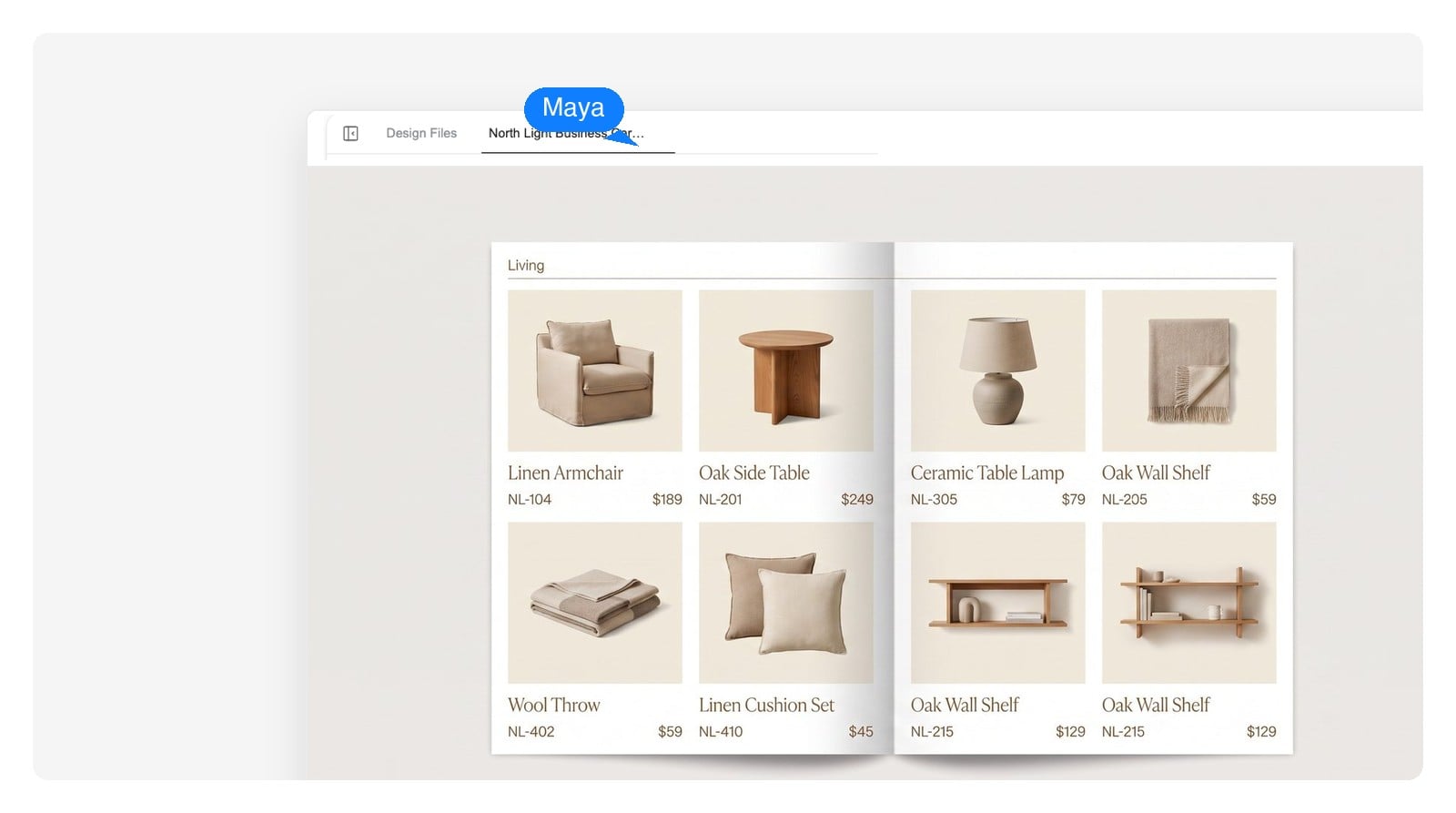
Spread by spread
A catalog isn't one hero image — it's twenty-plus pages that have to feel like one brand. Walk three spreads from a single generated catalog: same typography, same grid logic, three different jobs.

Brand block, one image, one promise. The cover's job is to earn the open — it sells the collection, not any single product.
Use the buttons — or your arrow keys — to walk the spreads.
Paste product names, prices and notes into the chat — or just describe the collection and who it's for. Rough lists are fine; turning them into structure is the agent's job.
The agent lays out the whole catalog — cover, collection grids, detail spreads — as one consistent design system, not a pile of separate images. Long catalogs paginate automatically.
Click into any page to change text, swap images or redo a spread. Export a print-ready PDF at real paper sizes, a page-flip digital catalog, per-page PSDs or PNGs.
Different catalogs do different jobs, and the layout logic changes with the buyer. These four briefs are where an AI catalog maker earns its keep.
Story first, density last: one look per spread, big photography, quiet type. A lookbook sells the season — the line sheet that follows it takes the order.
Strict grid, SKU, wholesale price, minimums — buyers flip straight to the numbers. Keep one product per cell and let the columns do the selling.
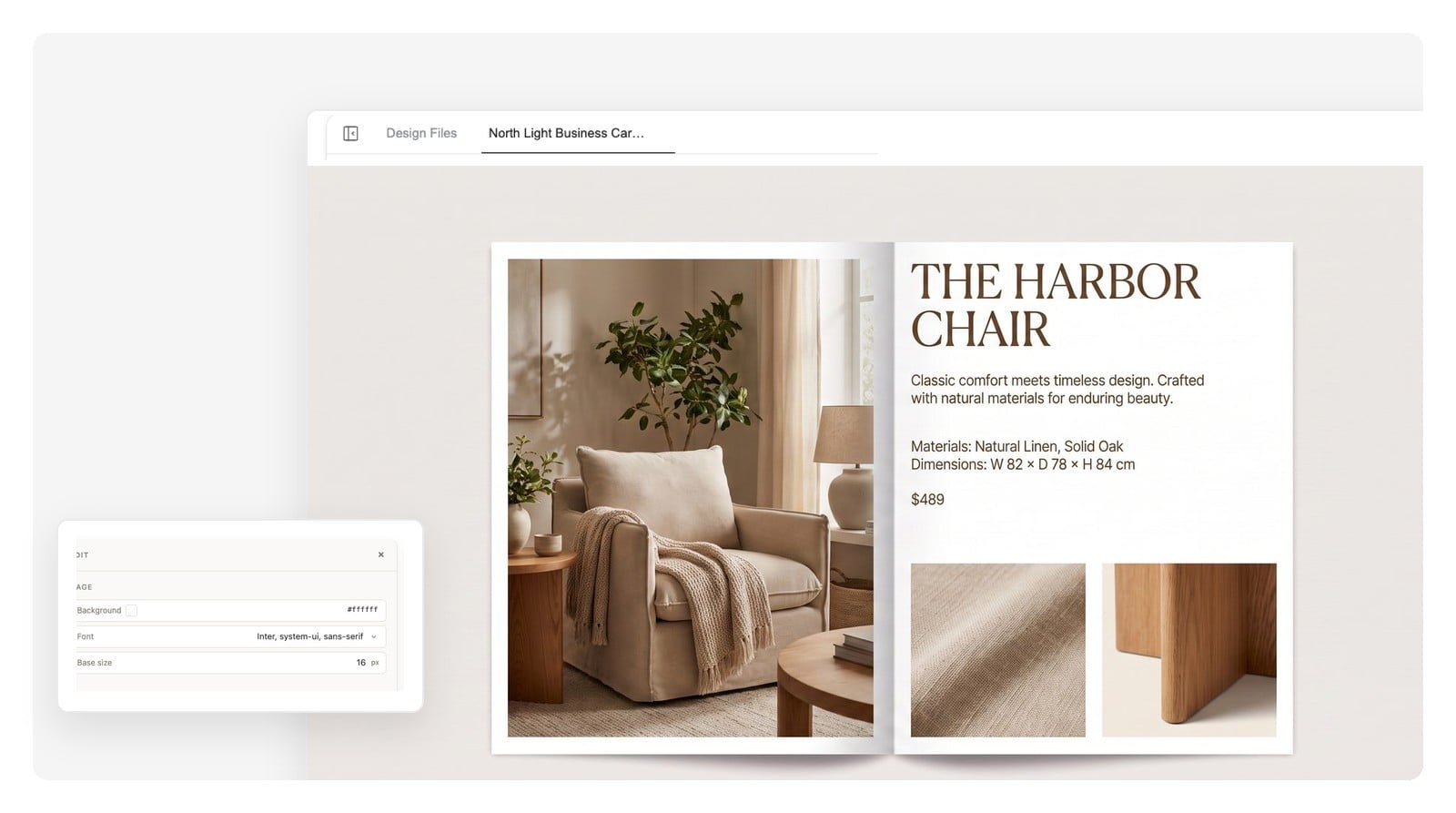
Collection grids for range, one detail spread per bestseller for depth. Works as a PDF attachment for buyers and as a page-flip digital catalog on screen.
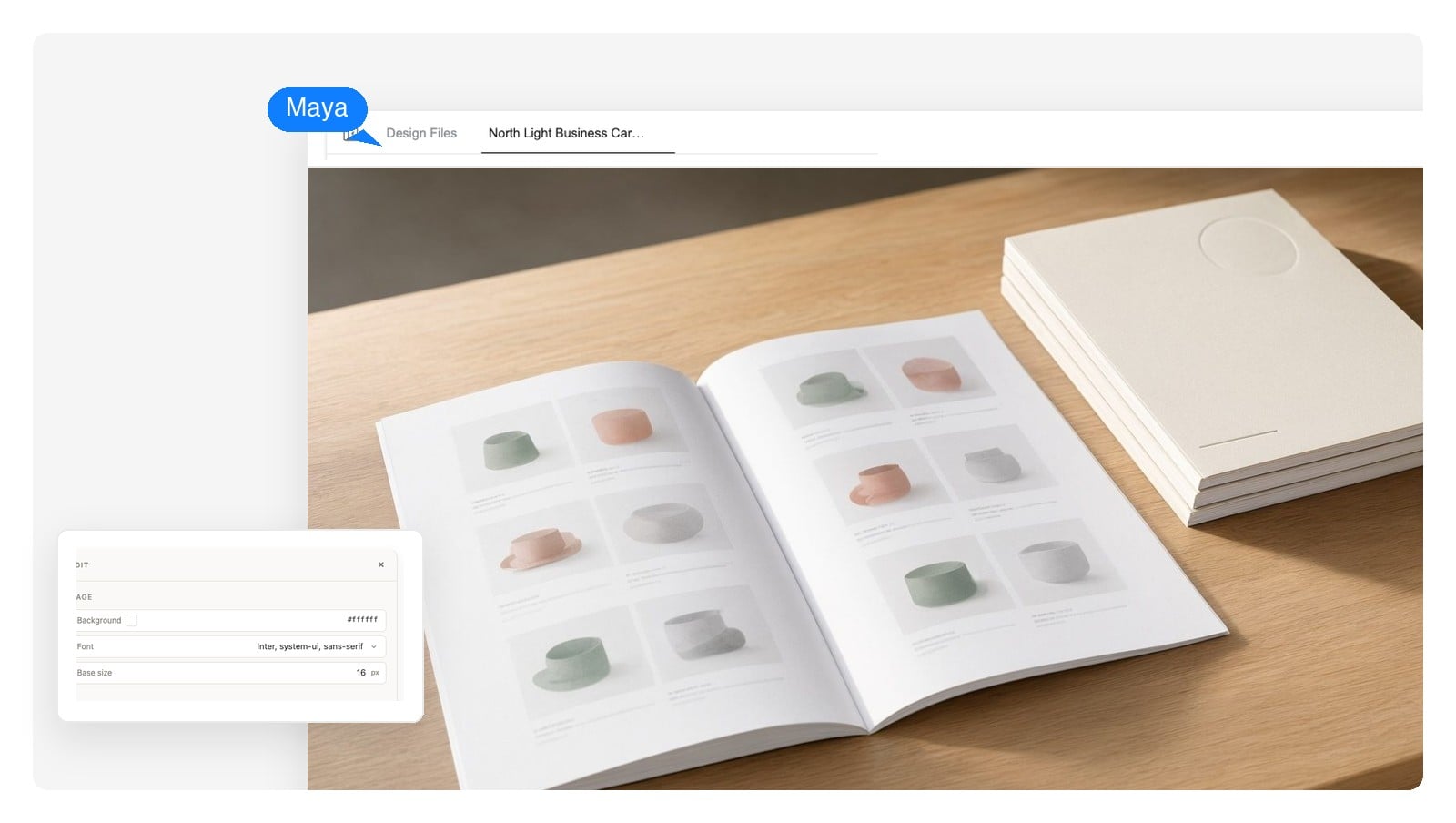
Room scenes to set the mood, 6-up grids to cover the range, materials and dimensions under every piece. Print it for the showroom, keep the PDF for the reps.
Print + digital
One catalog, four ways out the door — and none of them is a screenshot.
Real paper sizes — A4, B5, A5 — laid out at millimeter precision, so the file that leaves the tool is the file the print shop expects.
A flipbook version of the same pages for screens — for the buyers who will never print anything — without redesigning a single spread.
Download the catalog as a self-contained HTML file you can put wherever your site lives.
Per-page PSDs with every element on its own layer, plus native-size PNGs of any page for decks and product pages.
Catalogs live or die at handoff — to the print shop, the buyer, the designer. These are the numbers the exports are built around: paper first, screen second.
| Print trim sizes | A4 210×297 mm · B5 176×250 mm · A5 148×210 mm |
|---|---|
| Orientation | Portrait or landscape; single pages or facing-page spreads |
| Page count | Short lookbooks to long product catalogs — pages paginate automatically as the line grows |
| Print output | PDF laid out in physical millimeters at the chosen trim size |
| Digital output | Page-flip digital catalog for screens, plus a standalone offline HTML file |
| Design handoff | Layered PSD per page · native-size PNG of any page |
Field notes
Most catalog failures aren't taste problems — they're structure problems. Five that show up constantly, and what to do instead.
None of this is secret knowledge — it's just tedious to maintain by hand across forty pages. Making structure cheap to keep is most of what the AI is for.
Yes — that's exactly what this does. Describe your product line, or paste it into the chat, and the design agent builds a multi-page catalog: cover, collection grids, detail spreads, all in one consistent brand system. You get an editable design you can rework page by page, then export as a print-ready PDF, a page-flip digital catalog, layered PSDs or PNGs.
Editable. Product names, prices and descriptions are live text blocks, and product images sit on their own layers you can swap or regenerate one at a time. A flat image would mean redoing pages every time your line changes — that's the exact failure this tool is built to avoid.
Yes. Catalogs lay out at physical paper sizes — A4, B5, A5 — and export as a PDF measured in millimeters at the chosen trim size, which is the format print shops expect to receive.
Anything from a 12-page lookbook to a long product catalog. Pages paginate automatically as content grows, so a 60-SKU line doesn't need a different process than a 6-SKU one — the structure just extends.
A product catalog covers the full range with names, specs and prices. A lookbook is editorial — big photography, one look or story per spread, minimal data. A line sheet is the wholesale ordering tool: strict grid, SKU, wholesale price, minimum quantities. This tool builds all three; tell it which job the document has and the layout follows.
Yes — upload your product photos and the AI works them into the layout. Where you don't have photography yet, it can generate stand-in imagery so the structure is ready before the shoot is.
That's the point of the text-block approach: open the page, edit the number, re-export. The grid, the photos and the rest of the spread don't move. Seasonal price updates become a five-field edit instead of a redesign.
No. Templates exist because layout used to be the expensive part. Here you describe the line, the audience and the feel, and the structure is generated to fit them. If there's a reference look you like, describe it — the design will follow that direction instead of a fixed template.
A brochure is a short pitch — usually one folded sheet arguing one message. A catalog is a reference document a buyer returns to: more pages, more structure, real product data. If you're presenting a range with prices, make a catalog; for a single offer or event, a brochure is the better tool.
Yes. Catalogs you create are yours to use for your business — send them to buyers, publish them, print and distribute them. Standard account terms apply.
Describe the collection, walk the spreads, fix what's wrong, then send it to print or publish it on screen. The catalog you keep reusing has to exist first — start it now.