From 30 Hours to 5: How a 15-Year Marketer, Seulki Kang, Works with Genspark
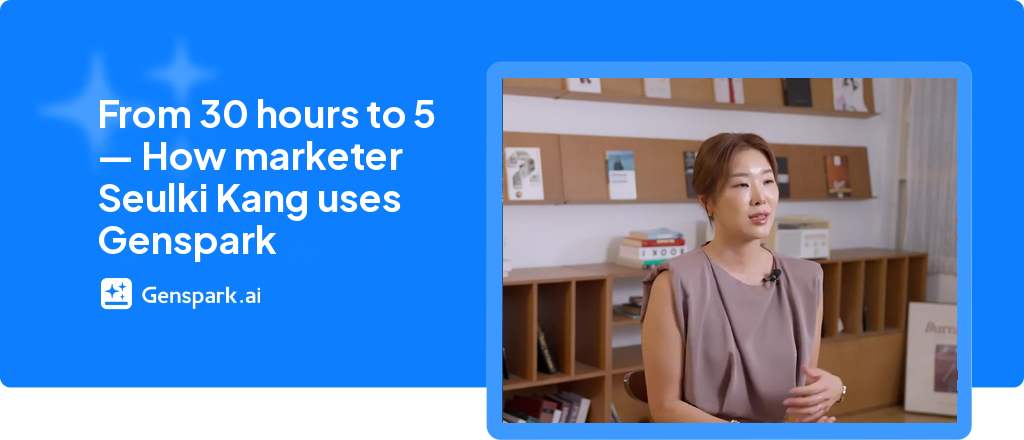
Customer Story · Seulki Kang · Marketing Data Specialist · Founder of the AfterWork AI Community · Genspark Genius Ambassador
Seulki Kang has spent 15 years in marketing, moving from an advertising agency to media planning and then to data analysis. She turned a brand's year-end greeting card campaign into a KakaoTalk bot and drew about 1.3 million participants nationwide. When people asked "Can that even be measured?" about out-of-home advertising, she built an analytics platform from scratch to measure it. Today she works independently. She runs AfterWork AI, a community for working professionals learning AI, teaches corporate classes, consults on marketing, and publishes the newsletter Iljalleo's Growth Notes.
Even so, there were things she kept putting off with "I should really do that": a YouTube channel, a newsletter, personal branding, and going independent. She is now working through that list one item at a time, and she builds a full set of lecture materials in 5 hours instead of 30. The change started small. Whenever she feels herself procrastinating, she throws out a prompt first.
This case study is based on an interview with Seulki Kang. It covers the way of working that got her started on what she had been putting off, and how she uses Genspark along the way.
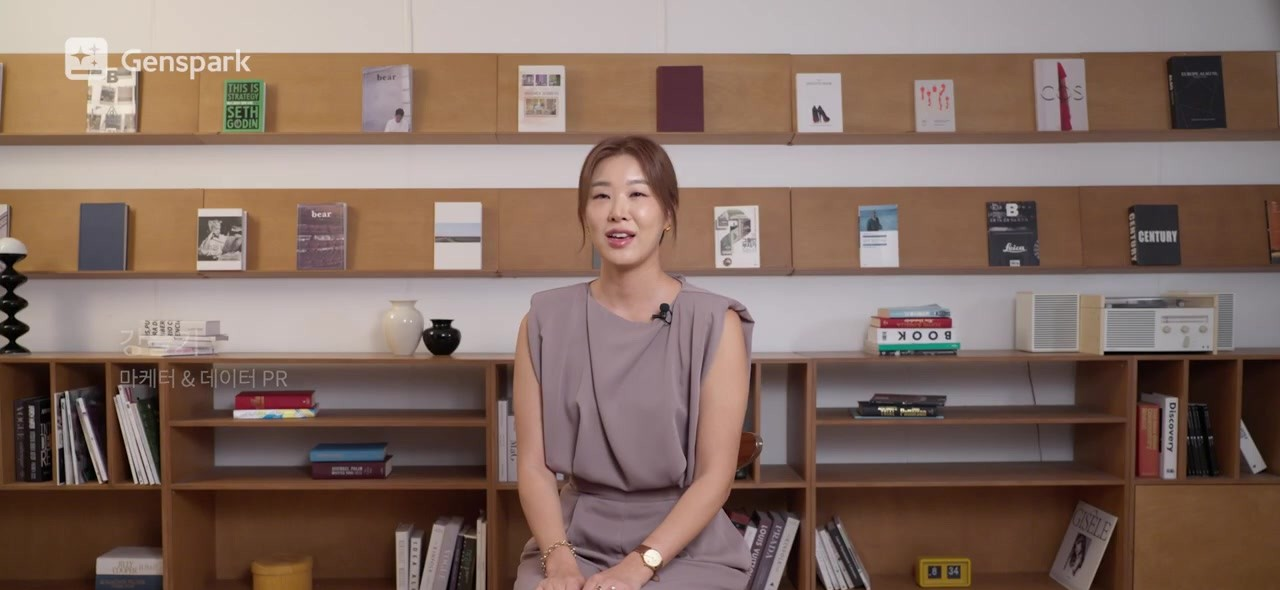
Seulki Kang on Genspark User Story Ep.5 (Source: Genspark User Story Ep.5)
1. Start with a draft, not perfect preparation
Asked how things changed after she started using AI, Seulki said it was like "getting a booster, like a detonator." What changed was how she starts.
"I kept thinking, I should do this, I should do that, I should work on my personal branding. I had the thoughts but not the follow-through. With AI, you can just hand it off first. If the result isn't good, you fix it. Before, I'd assume I wouldn't like the result, so I wouldn't start at all."
Now, whenever she feels herself putting something off, she throws out a prompt first.
"Once you see a result, you want to fix it. And that's how things get moving."
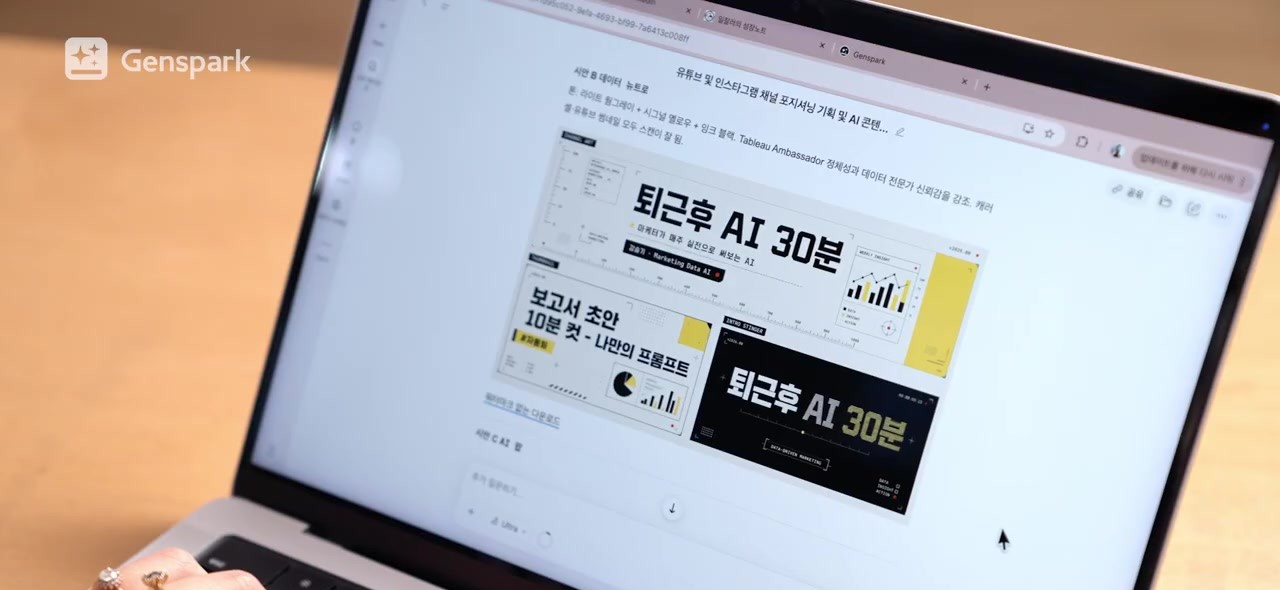
A first draft she got by throwing out an idea. She edits from here. (Source: Genspark User Story Ep.5)
She says her YouTube channel and newsletter, which she had put off for a long time, got moving the same way.
She also shared how she came to leave her company. About three months after she began writing on LinkedIn, job offers, project proposals, and lecture requests started pouring in. For a while she worked three days a week at the office and balanced it with her own work. Then, watching AI advance so quickly, she made up her mind.
"I went through a period when AI was advancing dramatically, and watching that, I decided, 'I need to work on my own now,' and went independent."
The gap she felt between her company work and her AI experiments was also big.
"I'd go to the office Monday through Wednesday and use all kinds of AI on Thursday and Friday, and I felt that gap a lot. Rather than chasing one big goal, I wanted to try different AI tools and do a lot of different things."
Here is how she uses Genspark now that she works on her own.
2. Turning scattered posts into lecture materials: SecondBrain + AI Slides
Seulki first started using Genspark because of AI Slides.
"After trying it, I honestly thought no other tool could compare to its slide quality."
As someone who teaches a lot, she had one recurring frustration. Only after finishing a new deck would she remember, "That slide from a lecture a few years ago was good, and I left it out." So these days she also uses SecondBrain, Genspark's personal knowledge hub. You gather your files and materials there, and the AI works from that content.
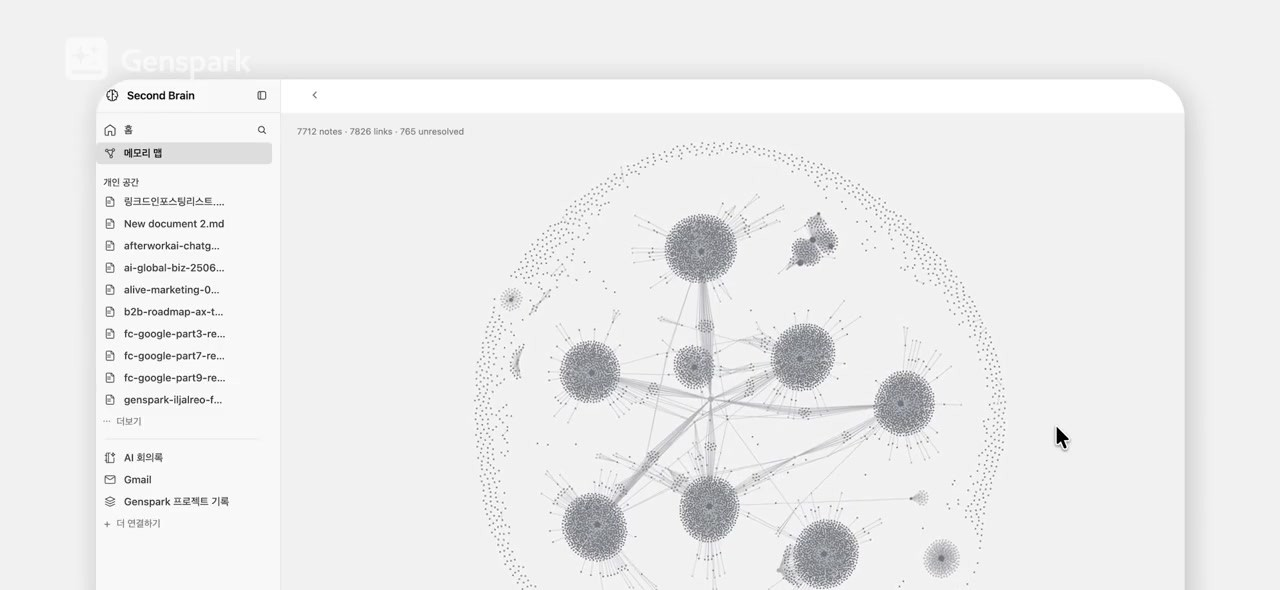
Seulki's SecondBrain, where her past posts and materials are connected (Source: Genspark User Story Ep.5)
① Store existing lecture materials. She converted all her past lecture materials into text files and uploaded them to SecondBrain. When a request comes in for a new topic, she can pull what she needs from her old materials.
② Add posts on the topic. She recently got a request for a lecture called "Problem Definition for AX (AI Transformation)." It was about soft skills rather than hands-on practice, and she says she "really wanted to do it well." She had already written many LinkedIn posts on the subject, so she converted them all into text files and added them to SecondBrain.
③ Ask for the slides. She asked Genspark to build the lecture slides from the posts in SecondBrain.
"It's hard for me to remember all of those posts, so I just put them all in and asked it to make slides based on them, and every one of them was reflected. I could clearly feel the quality was much better than if I'd made it myself."
She no longer worries that her slides will look AI-made.
"I used to worry about what I'd do if people said it was obviously made with AI. These days I don't worry about that at all."
Seulki doesn't keep her slides minimal. She packs them with content, which is one reason Genspark's slide style suits her so well.
Working this way, the time it takes her to build a full set of lecture materials has dropped from 30 hours to 5.
3. A morning briefing instead of 30,000 emails: GenMail
"On Gmail, I'd have something like 30,000 new emails piled up, and I missed a lot of them."
Now her day starts with GenMail.

Every morning she checks her email and new updates in GenMail (Source: Genspark User Story Ep.5)
① Check the briefing. The first screen shows summaries of emails to check first and her schedule for the day.
② Get reply drafts. For requests buried across different emails, GenMail writes draft replies.
③ Check Email Brain. In the Email Brain tab, she reviews her email content, organized and updated daily.
④ Read overseas newsletters. English newsletters are translated into Korean and summarized, and she reads those versions.
"I'd just never read overseas newsletters. But now that they're translated into Korean and summarized, they're much easier to take in than before."
4. Card news with crisp text: Genspark Design
Seulki uses Genspark Design for webinar landing pages, Instagram card news (carousel posts), posters, and thumbnails. When she generated these in one go with image AI, the text often came out garbled and portraits looked blotchy.
So she works in two steps.
① Create the image. She first generates the image inside Design.
② Add the text separately. She then places the text on top. Since the text isn't drawn into the image, it never gets garbled.
"I compared the same output with another design tool, and this one definitely feels less like something AI threw together."
When she makes AI images, she relies on the auto-prompt feature. She isn't good at writing image prompts, so she rarely got a result she liked on the first try.
"Every feature feels like someone who writes prompts far better than I do wrote the prompt and ran it."
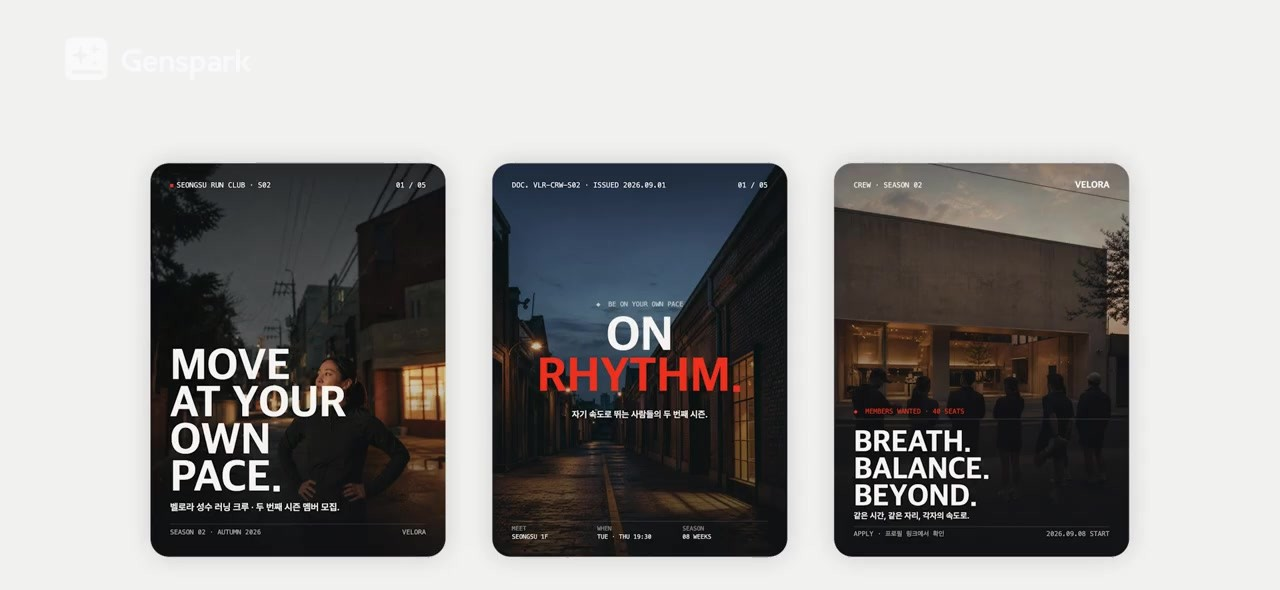
Card news drafts made with Genspark Design (Source: Genspark User Story Ep.5)
Her Instagram card news is still in the testing stage, with several versions made. Seulki herself pointed out that she "only tested them and hasn't posted them." That comes back up in Section 6.
5. Using Genspark outside of work: finding an international school in Penang
Seulki uses Genspark outside of work too. When she planned to spend a month in Penang, Malaysia, with her son, she needed an international school in Southeast Asia that would take a student for just four weeks. She added one more condition.
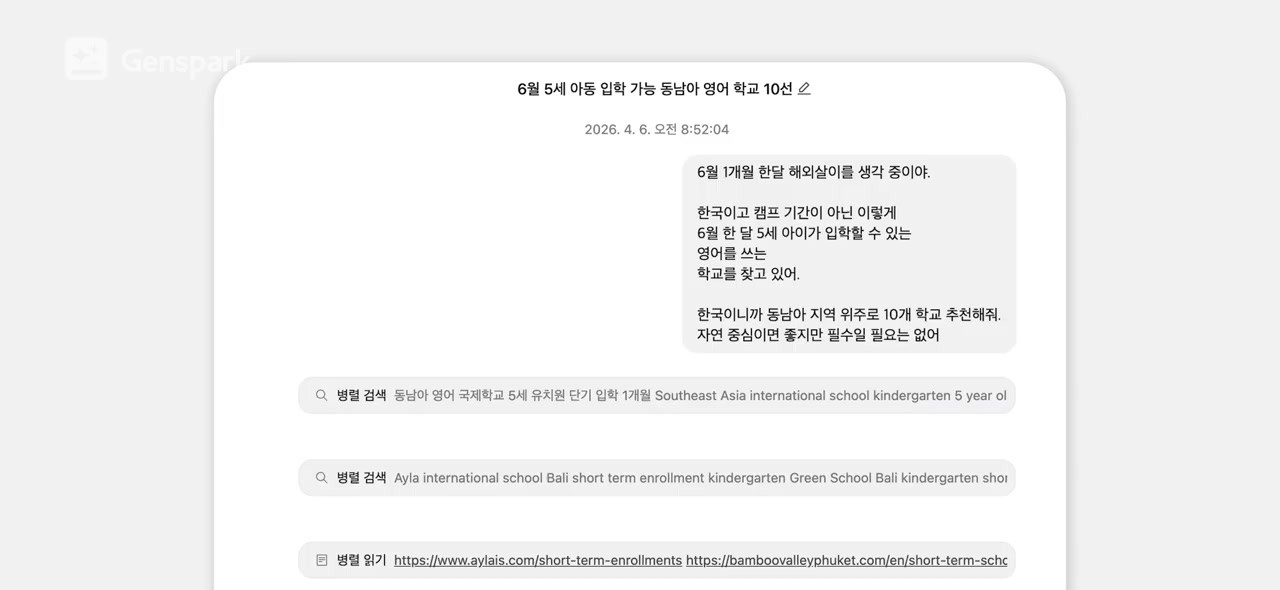
Her request for "10 English-language schools in Southeast Asia that accept a 5-year-old in June" (Source: Genspark User Story Ep.5)
"I asked it to find schools that might cover my child's tuition in exchange for my help with their marketing, and I actually sent out the cold emails Genspark wrote for me."
She emailed 10 schools. Two replied, and her son ended up attending one of them. She also received tuition support.
"I actually got tuition support and came back really satisfied with the experience."
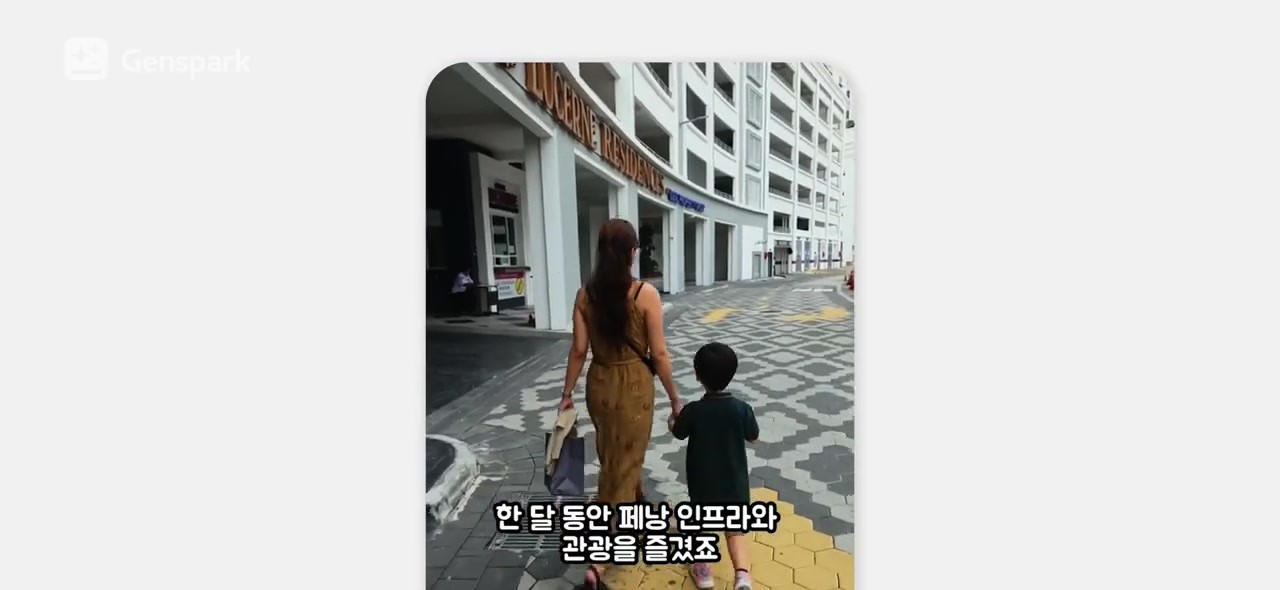
Seulki and her son during their month in Penang (Source: Genspark User Story Ep.5)
The idea came from her time at a company. When she was on the data team and the company's revenue fell, she reached out to an advertisers' association and a startup association and offered to run free webinars and write articles for them. She had assumed she would have to pay, but the response was the opposite.
"They actually welcomed it, because writing newsletter content is so hard for them. From then on, I decided I should recommend myself more often."
"Having tried it once while I was at the company really helped."
The "pitch first" habit she built at work carried over to a problem in her personal life. Genspark handled finding schools that fit her conditions and writing the pitch emails.
6. The better AI gets at work, the more these things fall to people
As people use AI more, what should they still do themselves? Seulki named three things.
First, actually taking action.
"I mentioned that I only tested my Instagram card news and never posted it. Actually doing it is really important."
Second, an eye for good work.
"These days a lot of people can't tell when a result is bad, so you really need to see and experience more great content and build an eye that can judge it."
Third, meeting people who are different from you.
"When you use AI a lot, you often end up not meeting people at all. I think meeting and learning from people on the other side of things matters more now."
7. Why she shows the process, not just the result
Seulki has one rule when she posts about AI on LinkedIn and Threads. She doesn't just show the result. She captures and shares the process from the very start.
"People who are good at this just post the result. It's not that they're hiding anything. They think, 'If I show this much, people will figure it out.' But people who don't know AI feel frustrated: 'Why do they keep showing only the result and not how they did it?'"
She also swaps jargon for plain language.
"If you start a post with 'How to do SEO well,' no one reads it. If you write 'How to get your site to show up first on Google,' far more people read it."
Narrowing the gap between people who use AI well and people who don't is what Seulki keeps working on through her content and her teaching.
8. Why Seulki chose Genspark
The same task, better output
Recently, Seulki asked an AI to write a book manuscript based on the knowledge stored in her SecondBrain. The manuscript she got from another tool read too much like AI. She even tried a separate tool to fix the style, but it didn't help much. The manuscript from Genspark was different.
"The book Genspark wrote just read so smoothly. It was good enough that I wondered what prompts and architecture they'd set up. The quality of the output itself is the biggest thing for me."
Here is how she explains it.
"Genspark has many models built in, so when it handles a task, it sends the work out to multiple models and combines the results well. That's why the same task often comes back at a higher quality."
Easy to recommend to anyone
She is just as clear about why she recommends Genspark in her classes and community.
"When I teach simple AI chat tools, people often think they're too easy and not very useful. With developer AI tools, a lot of people give up right away, saying, 'There's no way I can do that.' Genspark sits in the middle. It isn't hard to use, and the range of work it can handle keeps growing, so it's easy to recommend to more people."
She applied to the ambassador program after seeing the official announcement, but she had been reaching out about becoming an ambassador long before that.
"Genspark fits my personality and style so well that I'd already been using it a lot. But there still wasn't much content focused on Genspark alone, so I thought I was the right person and applied."
Asked to describe Genspark in one line, she said:
"A booster that gives me that one-notch edge."
It's the same word she used at the start of the interview to describe how AI changed her work: "getting a booster."
🎯 Key takeaways: What solo professionals can learn about using AI
- AI's first job is to get you started. Don't wait until you're perfectly prepared. Get a draft first. The urge to fix it will move the work forward.
- What you've already built up is your best material. Gather your past lecture materials and posts in SecondBrain, and you can pull from all of it without relying on memory. Working this way, Seulki cut her lecture prep from 30 hours to 5.
- Make the image and the text separately. Create the image first and add the text on top, and the text won't get garbled.
- Use your work habits in everyday life. Pair "pitch first" with AI, and you can solve personal problems like finding a school. For Seulki, 10 emails led to one enrollment with tuition support.
- Judgment and action are still up to you. An eye for good work, actually putting things out there, and meeting other people are things AI won't do for you.
Try Seulki's way of working with her Skills
Seulki's way of working is now available as Genspark Skills. You can follow her method step by step, from turning ideas into more persuasive slides to redefining a problem the moment a task lands on your desk.
🎁 Leave a comment on the Ep.5 video with a timestamp of a scene that stood out to you, and you could be one of 30 people to win a limited-edition Genspark goods kit. (Through Oct 12)
🔗 More about Seulki Kang

- Genspark User Story Ep.5: A 15-Year Marketer on Competitiveness in the AI Era
- Genspark Academy: AI Slides Ch.3-1, Building a Real Sales Proposal